

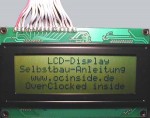
When everything has been soldered together or plugged-in and the nervs have not been ruined so far you could first of all test the display by the help of this
little Freeware Tool.
You could access the tool after unpacking it with the following command in the DOS prompt area:
lcdprint 378 20 4 lcd.txt
The 378 is indicating the address of LTP 1 Port and can vary, depending on the BIOS or PC configuration. You can also look up the address in the hardware manager under “connections -> LPT X -> properties-> ressources -> E/A area” and can be changed within the row if necessary.
When everything has done so far the text entered into the lcd.txt will be shown on the display and remains on it until the next action is taken. This program together with the parameters has been copied by me as a linkage in the autostart menu so that everytime when the MP3 Player
(german) is activated the start-text will be shown on the display 😉 By the help of a small batch file you could also deposit additional text.
Concerning the capacity of the display of course there is more to it than that.
As a main application I use the display for the information on title length, title name, interpreter etc. with Winamp Player
plugins in my J-Box
(german).
After dozens of plugins I decided to use 2 somewhat older versions which are working reliable and are also very convenient to configure.
The first plugin is called LCDisplayer and is already available in several versions. Here you could download the small LCDisplayer 0.59 Plugin, whereby I prefer the version 0.59 towards the version 1.0.
And after successful adaptation of the LCDisplayer.ini you could display e.g. the following picture:
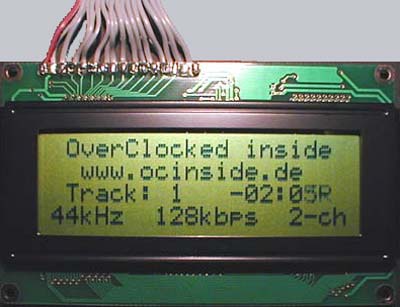
You can change the appearance at your will. The Readme will explain the most important steps easily and you can also find most of the installations already explained and prepared in the LCDisplayer.ini.
My second favourite is Lorty?s MP3 Car Plugin which you can download here as a demo version. The demo is able to display nearly everything but it is requesting you in between to register yourself. To whom it may not disturb is receiving after a short configuration a multi-rowed graphic equalizer with title and some other goodies.
You could e.g. configure the Lorty?s MP3 Car Plugin as follows:
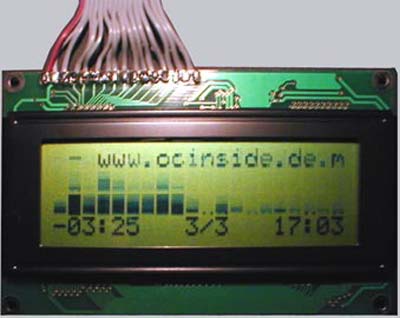
The picture looks a little bit blurry because the spectrum is moving and the music title in the upper row is scrolling back and forth.
As a little addition for all mainboards with Winbond Chip the display of CPU-temperature, Vcore and fan speed is integrated in this tool so that these lucky-ones don?t need any further programs.
There are also sufficient plugins for the mainboard monitor (MBM in the download section) in order to display the temperature, fan speed, velocity or something similar.
I can hardly recommend the following LCDriver page as there you can find all important driver for MBM and even for the Windows Mediaplayer, offered free. Furthermore you will also find Source Codes and VB examples for own programming of the activation 🙂
And the one who would like to build up his LCD display as a real multi media center should take a view onto the LCDcenter page as with this program you can find all driver and plugins reconciled and convenient to configure.
Important !!! The one who is using Windows 95 or a NT based operating system (e.g. Windows 2000 or Windows XP) needs the Port95NT driver in order to enable the programs to access to the parallel port !
Here you can download the Port95NT driver
There you can also find a very recommandable program called Smartie
where you can display system information, time and date, mailbox condition and much more 🙂
For a first display test it’s sufficient to use a DOS boot disk where program and you can start it with the listed parameters in the prompt area/DOS box.
I wish you much fun and success during installing and reconstructing. Interesting Casemods with LCD display will of course be welcomed to be integrated into the Casemod Gallery !
To my opinion the offered software is freeware/shareware! If not, the developers or licensees should not hesitate to contact me by their authorised E-Mail and I will remove the software immediately from the web pages.
And here’s the newer LCD & G-LCD software Download Overview !