

Find the Right Hardware Quickly …
ASRock B850M Challenger WiFi White Layout, design and features
ASRock B850M Challenger WiFi White Chipset
ASRock B850M Challenger WiFi White Power Converters and Heat Sinks
ASRock B850M Challenger WiFi White Expansion Cards
ASRock B850M Challenger WiFi White Memory Modules
ASRock B850M Challenger WiFi White M.2 Slots
ASRock B850M Challenger WiFi White Drive Connectivity
ASRock B850M Challenger WiFi White USB
ASRock B850M Challenger WiFi White Networking / Wireless
ASRock B850M Challenger WiFi White Audio
ASRock B850M Challenger WiFi White RGB Lighting
ASRock B850M Challenger WiFi White Fan Connection
ASRock B850M Challenger WiFi White POST Status Checker
ASRock B850M Challenger WiFi White PC System
Let’s take a closer look at the ASRock B850M Challenger WiFi.
Layout, design and features …
The ASRock B850M Challenger WiFi White is built on a high-quality, high-density fiberglass PCB and supports all processors released by AMD for the AM5 socket to date, ranging from the entry-level Ryzen 7000 series to the latest Ryzen 9 9950X3D2 processor with DUAL-3D V-Cache. The highlight is the consistently bright design, which this time even extends to all slots and ports-with the exception of two visible black M.2 slots. Even the integrated Wi-Fi module, power connectors, fan headers, and other pin headers are white. With its Micro-ATX form factor, it’s ideal for sleek, compact PC builds that serve as eye-catching centerpieces on your desk. The B850M Challenger WiFi White isn’t intended as a high-performance gaming motherboard, but it does offer a well-rounded and solid set of features, including fast Wi-Fi and PCIe 5.0 support. We’ll reveal exactly what the B850M Challenger WiFi White has to offer below.
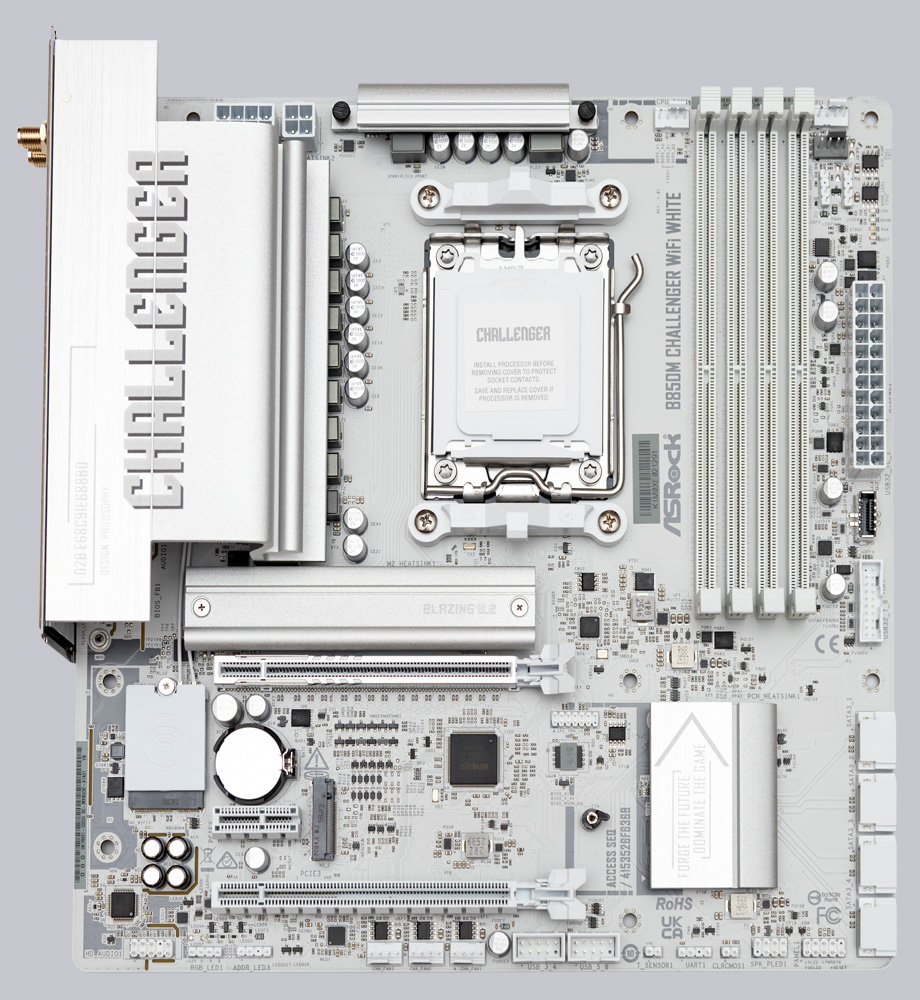
Chipset …
AMD’s B850 chipset (PCH), featuring the Promontory 21 chip, forms the basis of the B850M Challenger WiFi White. It is connected to the CPU via a PCIe 4.0×4 interface. Through this interface, the motherboard provides the two PCIe 4.0 slots, the LAN and Wi-Fi modules, the four SATA ports, two rear USB 3.2 Type-A ports, one USB 2.0 Type-A port, and all front USB ports.
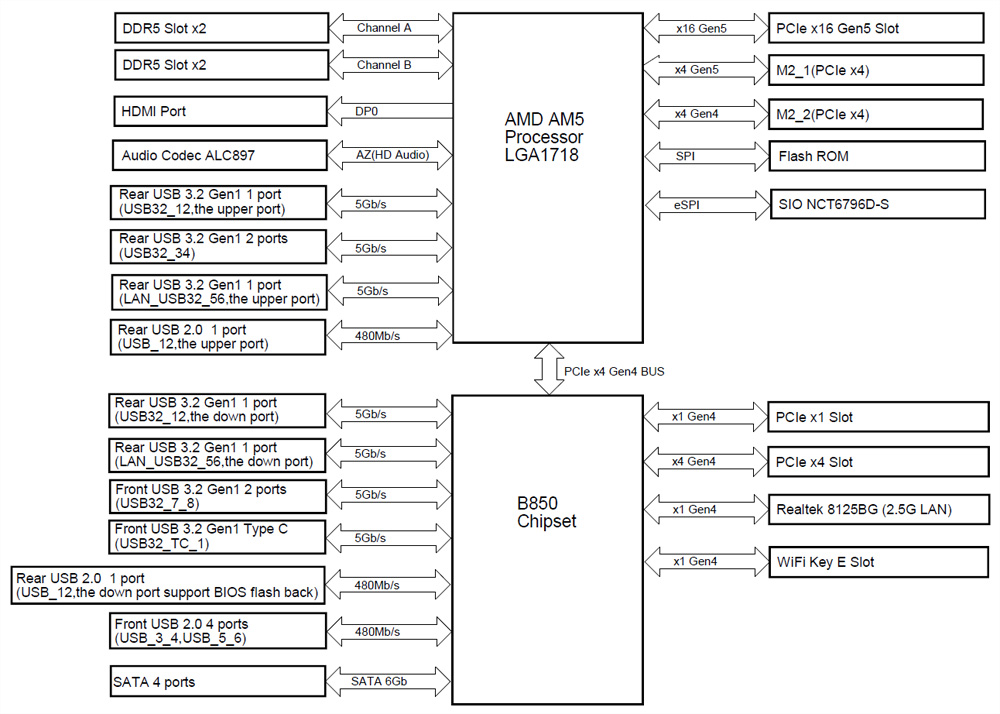
Below is an overview of how AMD has designed the interface connections. Board manufacturers may implement these differently.
| AMD AM5 chipset comparison | ||||||
| Chipset | PCIe total | PCIe Gen5 | USB 3.2 Gen1 | USB 3.2 Gen2 | USB 3.2 Gen2x2 | SATA |
| X870E | 44 | 24 | 2 | 12 | 2 | 8 |
| X670E | 44 | 24 | 2 | 12 | 2 | 8 |
| X670 | 44 | 8 | 2 | 12 | 2 | 8 |
| X870 | 36 | 24 | 1 | 6 | 1 | 4 |
| B650E | 36 | 24 | 1 | 6 | 1 | 4 |
| B850 | 36 | 4 | 1 | 6 | 1 | 4 |
| B840 | 34 | 0 | 2 | 2 | 0 | 4 |
| B650 | 36 | 0 | 1 | 6 | 1 | 4 |
| A620 | 32 | 0 | 2 | 2 | 0 | 4 |
Although the ASRock B850M Challenger WiFi White is an entry-level motherboard, it features a PCIe 5.0 x16 interface, as well as one Gen 5 and one Gen 4 M.2 slot, all of which are connected directly to the CPU rather than via the chipset. As a result, the ASRock B850M Challenger WiFi White delivers maximum performance without any performance losses due to lane sharing on the key interfaces for graphics cards and NVMe SSDs.
Voltage regulators and heatsinks …
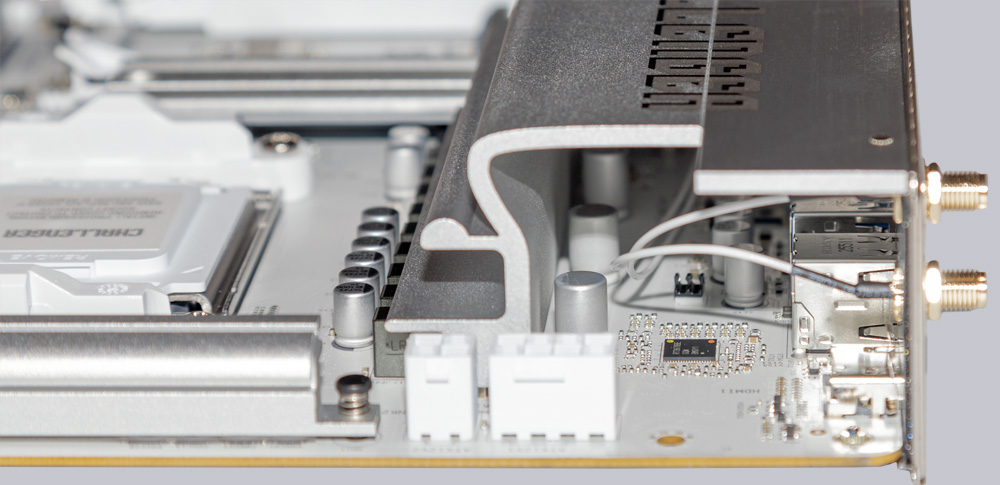
With an 8+1+1 Dr. MOS power stage configuration, the B850M Challenger White features a sufficiently robust power supply that has also been certified for the new AMD Ryzen 9 9950 X3D2 processor with DUAL-3D-V-Cache. However, the power stages of the B850M Challenger WiFi White are not designed for extreme overclocking. The heat generated is dissipated via thin-walled aluminum heatsinks, which look stylish and adequately fulfill their purpose in everyday use-provided that case fans ensure at least a minimal airflow over the heatsinks.
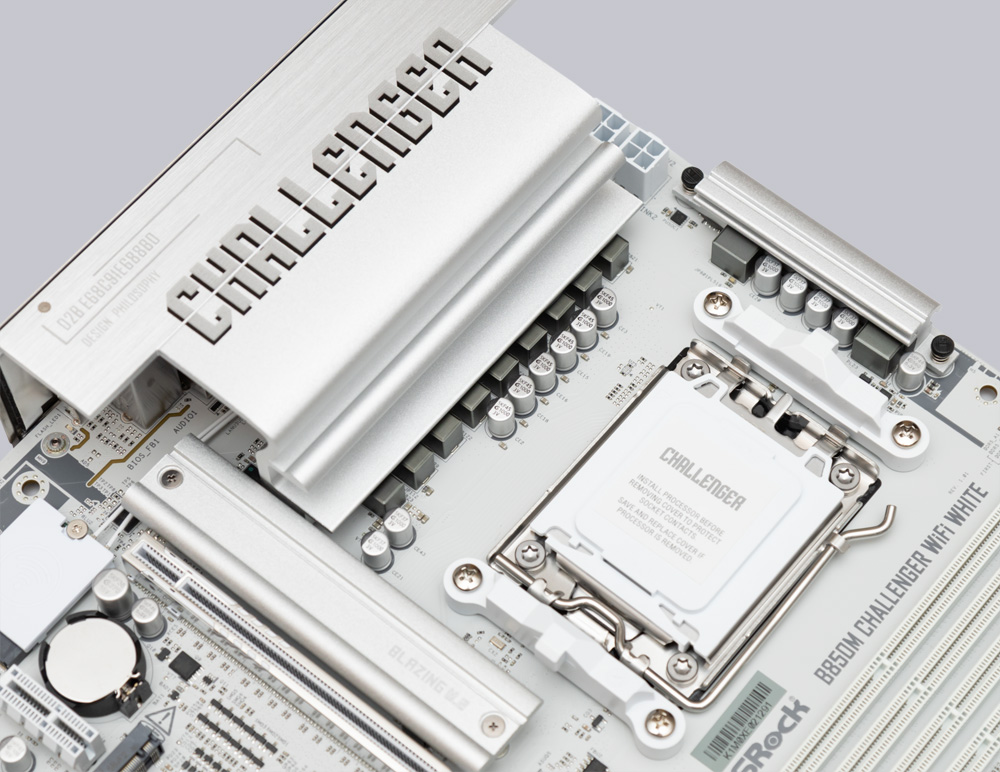
Neither the chipset nor the VRM cooler has a mini fan, which helps when building a particularly quiet PC.
Expansion cards …
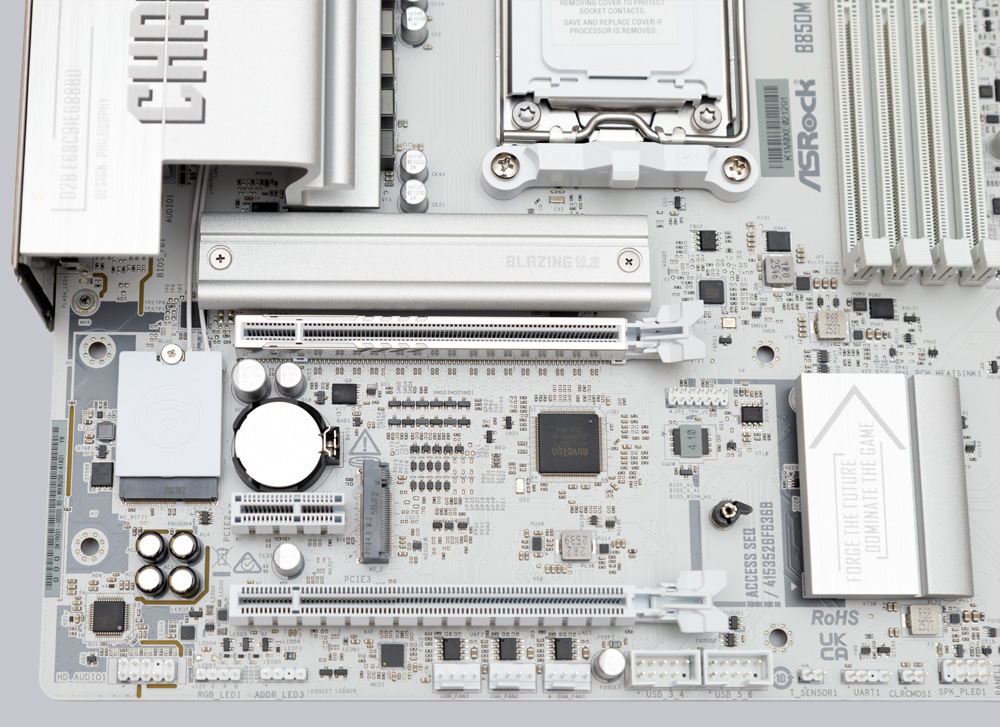
The white graphics card slot is reinforced with stainless steel, connected directly to the CPU via 16 PCIe 5.0 lanes, and equipped with a large release lever. However, there is no convenient easy-release mechanism. The lower x16 slot is connected via the chipset with four PCIe 4.0 lanes and could therefore be used to add a third M.2 slot for operating an additional NVMe SSD.
Memory modules …
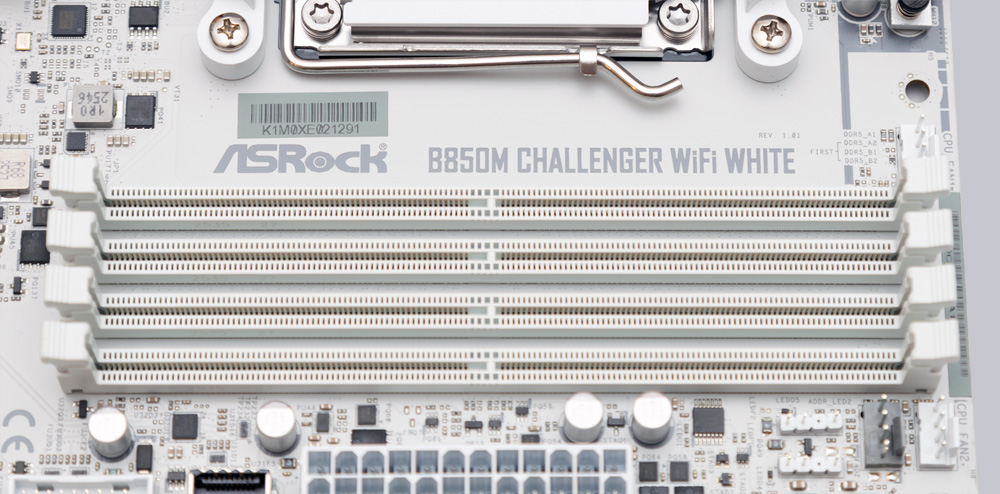
Currently, the B850M Challenger WiFi White, with its 4 white DIMM slots, supports up to 256GB of DDR5 RAM. Thanks to the high-quality PCB and support for XMP and EXPO profiles, there’s nothing standing in the way of high memory frequencies well above the JEDEC specification. According to ASRock, speeds of up to 8000MT/s are possible, which we’ll test in detail later.
M.2 Slots …
ASRock didn’t skimp on the M.2 slots. With one Gen 5 and one Gen 4 slot-both of which are connected directly to the CPU-there’s no bottleneck when transferring large amounts of data. Thanks to quick-release clips, the NVMe SSDs can be easily secured in the slot. Only the heatsink on the Gen 5 slot needs to be secured with screws.
Drive connectors …
A total of four white SATA 3 ports with 6 Gb/s are available for optical drives and hard drives/SSDs. RAID modes 0, 1, and 10 are supported on both the SATA ports and the M.2 ports.
USB …
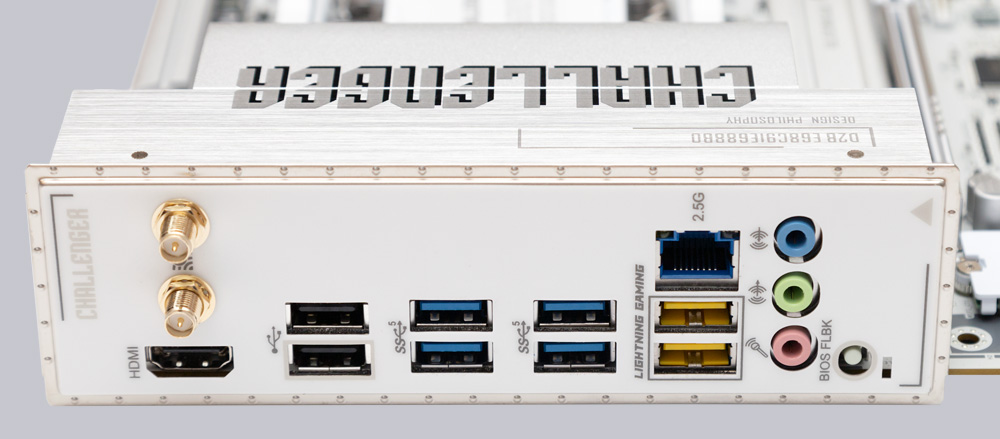
The USB section of the B850M Challenger WiFi White covers only the most basic needs. There is no Type-C port on the rear I/O panel, and no Type-A port supports transfer rates exceeding 5 Gbit/s. The same applies to all front USB ports-the maximum transfer rate is 5 Gbit/s-but at least there is a header for a front USB-C port. In total, there are eight USB-A ports on the back (2x USB 2.0 and 6x USB 3.2 Gen 1) and headers for seven additional USB ports (4x USB 2.0, 2x USB 3.2 Gen 1 Type-A, and 1x USB 3.2 Gen 1 Type-C). Unfortunately, the motherboard also does not offer fast charging.
Network / Wireless …
The 2.5 Gb/s LAN port lets you navigate your home network quickly. With Wi-Fi 7, including 6 GHz support and a 160 MHz channel width, you’ll also enjoy fast wireless connectivity using the latest standard. Bluetooth version 5.4 is included.
Sound …
For audio, the Realtek ALC897 chip provides up to 7.1 HD audio. Like the B850M Challenger WiFi White itself, the ALC897 is an entry-level chip. It offers decent sound quality, but quickly reaches its limits when used with high-end headsets or speakers. There is also no optical audio output.
RGB lighting …
The B850M Challenger WiFi White features three 5V A-RGB headers and one 4-pin 12V RGB header. However, there are no LEDs for lighting located directly on the motherboard.
Fan connectors …
For an m-ATX motherboard, the B850M Challenger WiFi White features an impressive seven 4-pin PWM fan connectors. Six of them deliver up to 3A, while only the CPU fan connector delivers 1A.
POST Status Checker …
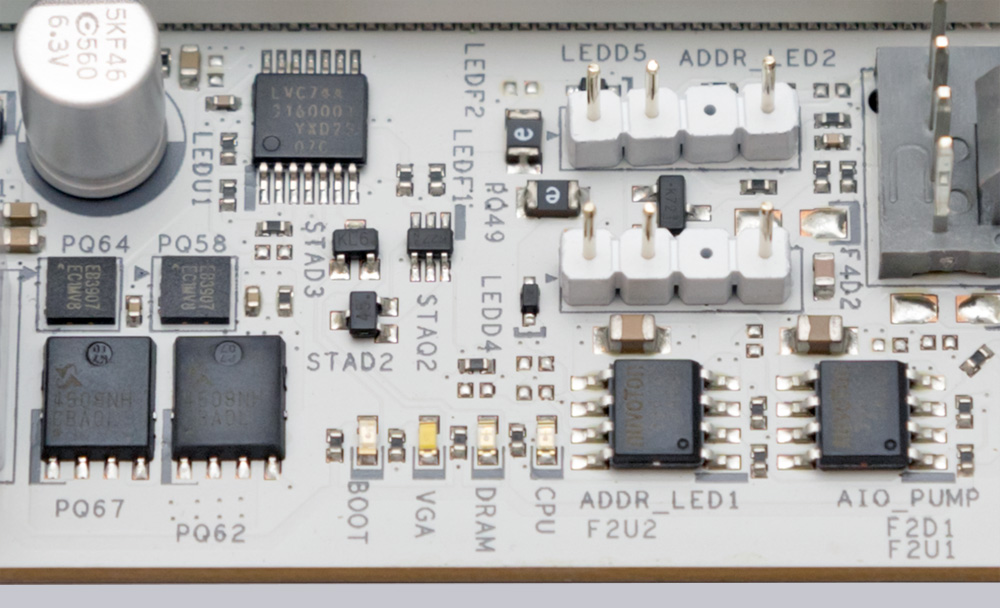
If the PC ever fails to start up, the POST Status Checker in the upper-right corner of the motherboard can help you troubleshoot the problem. In the event of a problem, 4 LEDs will indicate where the issue lies during the PC’s startup.
Test System …
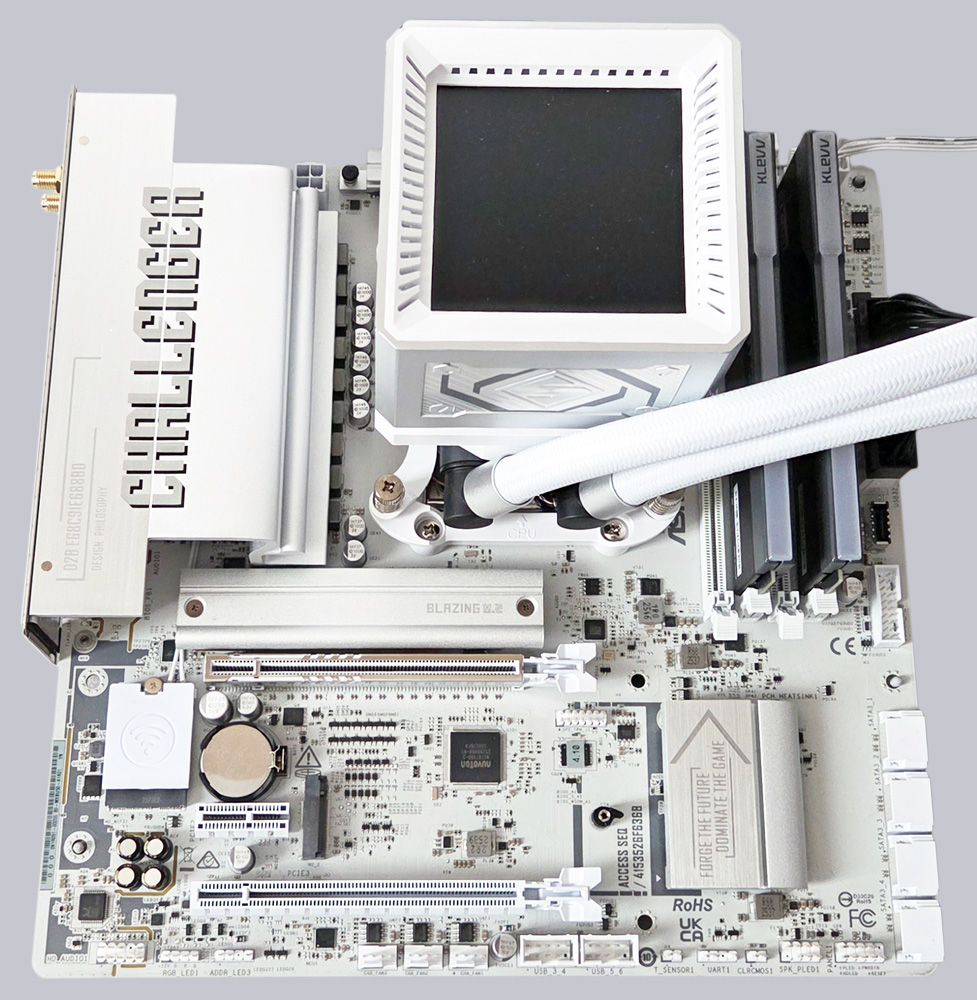
For our review of the ASRock B850M Challenger WiFi White motherboard, we’re using an AMD Ryzen 5 9600X CPU and 2x 24GB DDR5-6000. For cooling, we’re using the ASRock Steel Legend 360 LCD liquid cooling system, and for thermal paste, we’re relying on the Arctic MX-6 thermal paste. The Crucial T710 2TB PCIe 5.0 SSD naturally goes in the top M.2 slot for maximum performance.
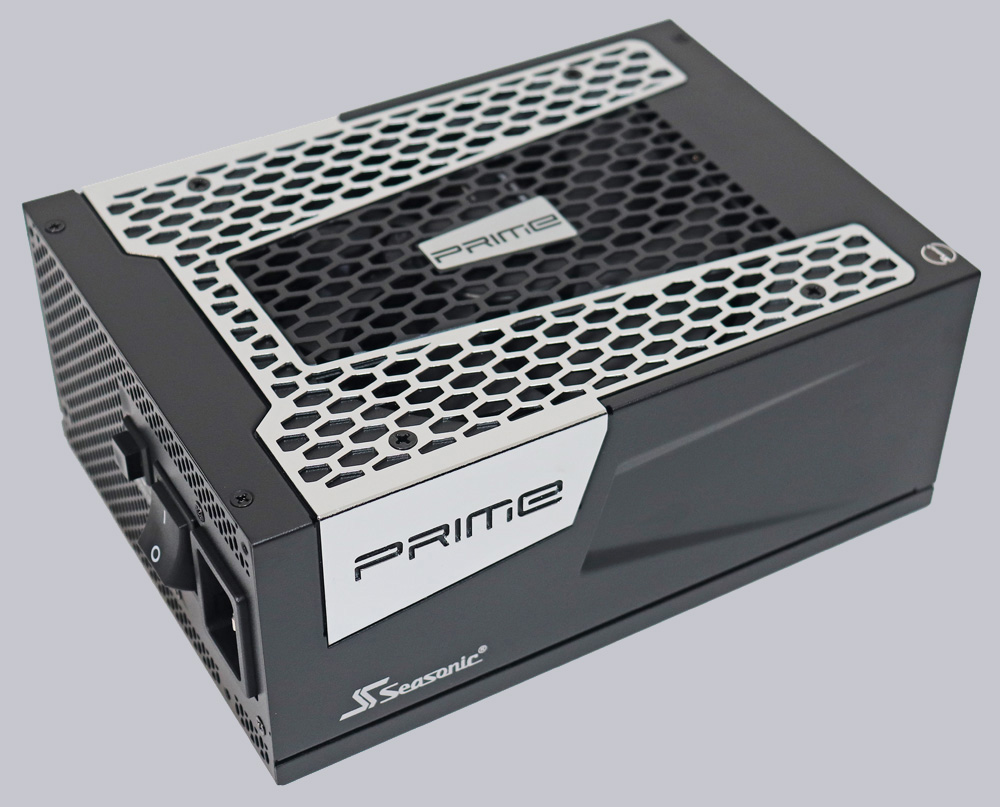
The necessary power is provided by the high-performance Seasonic TX-1300 ATX 3.0 power supply, which has more than enough power reserves.
ASRock B850M Challenger WiFi BIOS and overclocking …