


Practical testing …
Quickly find the right practical testing …
Testsystem
Setting Up
Transmission Rates and Usage
Classified
Testsystem …
We tested the Kingston IronKey Keypad 200C USB flash drive on the following system:
| Mainboard & BIOS | MSI X670E Carbon WiFi 1.B0 AGESA 1.0.9.0 |
| CPU | AMD Ryzen 9 7950 X3D |
| RAM | Kingston Fury DDR5-6000 EXPO 2 x 32 GB |
| PSU | Seasonic Prime TX-1300 ATX 3.0 Netzteil |
| Case | Thermaltake The Tower 900 |
| Cooler | Custom water cooler powered by Aqua Computer + 3 120 mm case fans |
| Monitor | LG Ultragear 34GP950G-B 3440 x 1440 @ 180 Hz Overdrive |
| Operating System | Windows 11 25H2 26200.8037 |
Setting Up …
You should first read the user manual, which can be found either on the back of the package or downloaded from the Kingston website. Given the many features, this is highly recommended. The manual also explains that you need to charge the flash drive before using it for the first time. Charging it for 30–60 minutes using a power source is sufficient.
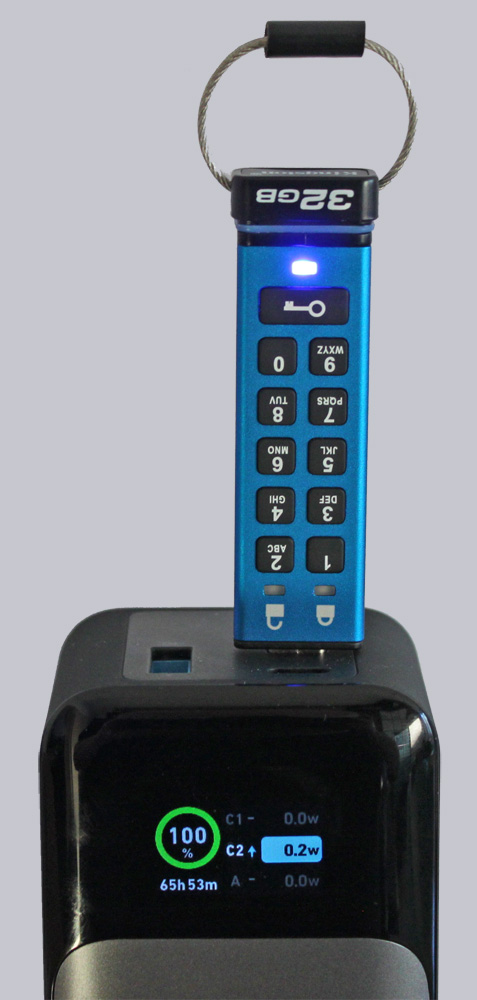
But wait a minute … charging a USB flash drive?? The IronKey flash drive has a built-in 3.7 V LiPo battery so you can conveniently enter passwords or manage settings without having to struggle with the drive plugged in. Here’s how to set up a user PIN for the first time.
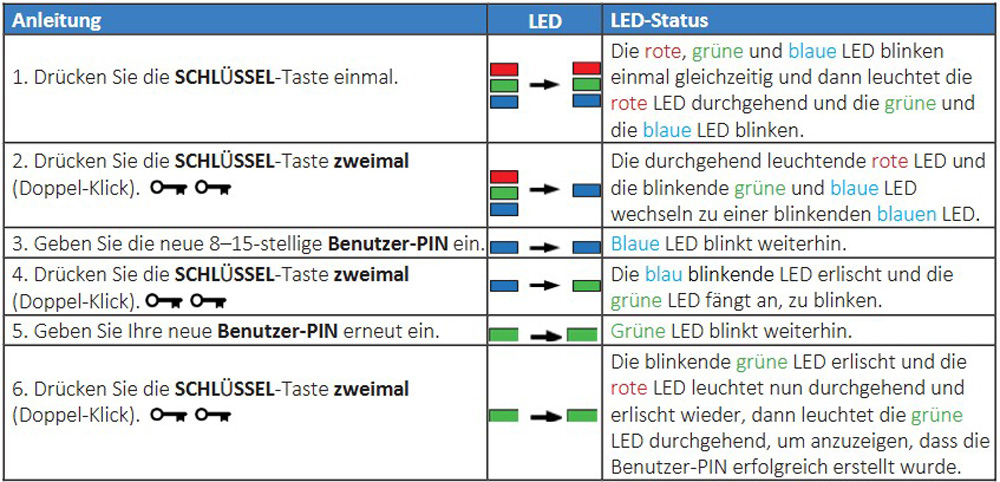
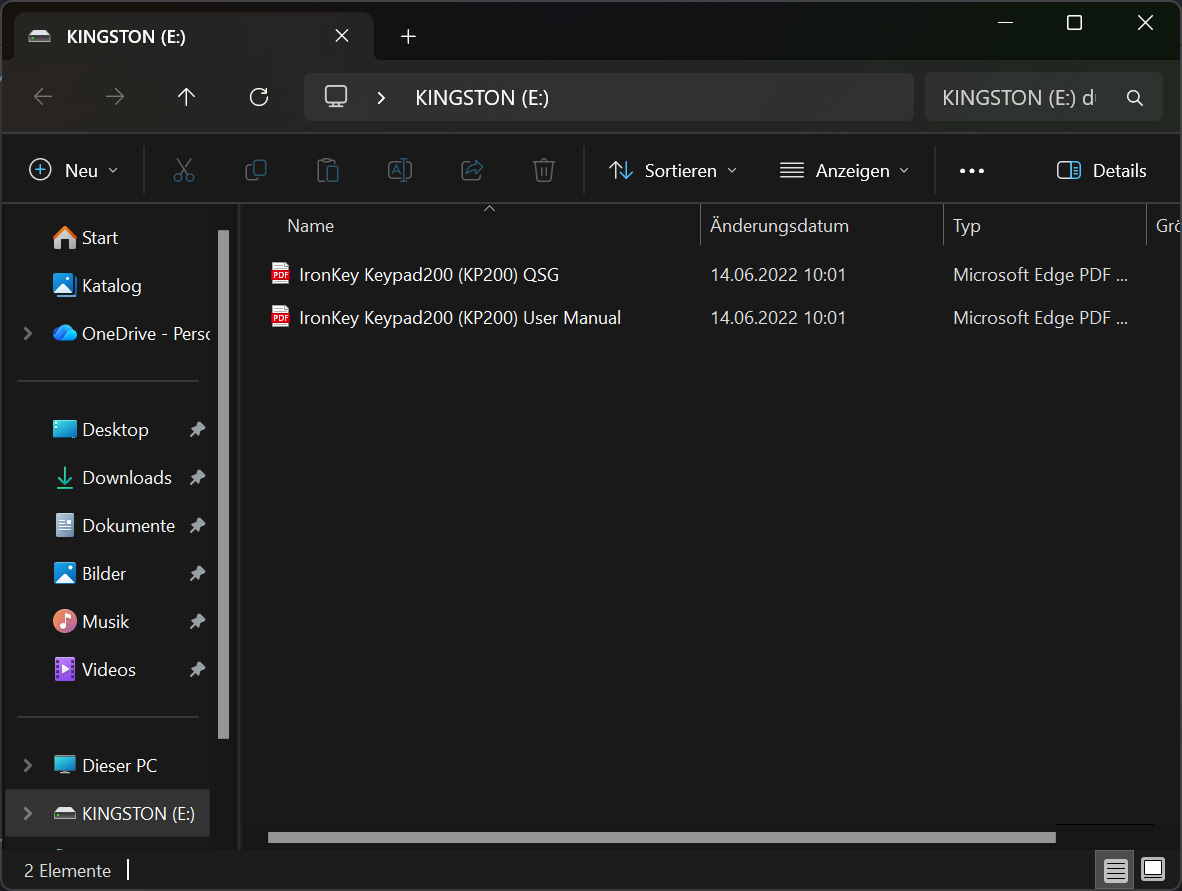
This is necessary because the system does not recognize the flash drive when it is first inserted. Next, we see the user manual and a data sheet that come preloaded on the flash drive.
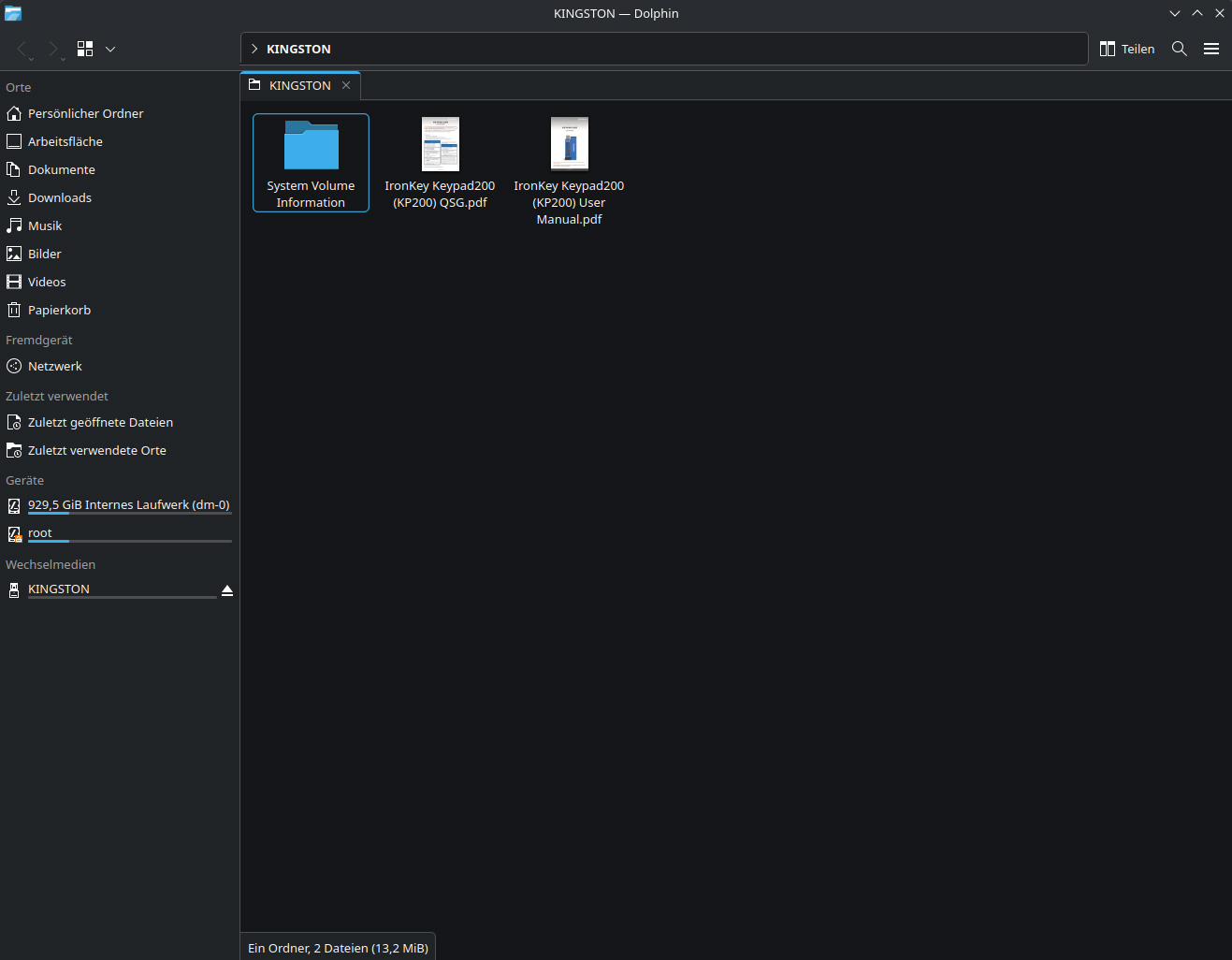
Even on Linux – the ever-popular CachyOS—the flash drive is recognized immediately after it is activated.
Neither the Samsung Galaxy S24 Ultra nor the older Samsung Galaxy S10 would work with the device, even though it should have functioned with mobile devices after being unlocked. These two smartphones did not recognize the unlocked flash drive after it was plugged in, even though other USB flash drives—such as the SanDisk Ultra 128 GB USB-C flash drive—work perfectly with them. Even changing the file system from FAT32 to NTFS and exFAT did not resolve the issue. We were only able to use the 200C via a USB-C hub. We are currently still in contact with Kingston Support regarding this issue and will provide an update as soon as there is any news. Update: According to Kingston, a similar IronKey Keypad 200C works without any issues on a Samsung Galaxy S24 Ultra. Unfortunately, we were unable to determine the cause of the issue with our test smartphone.
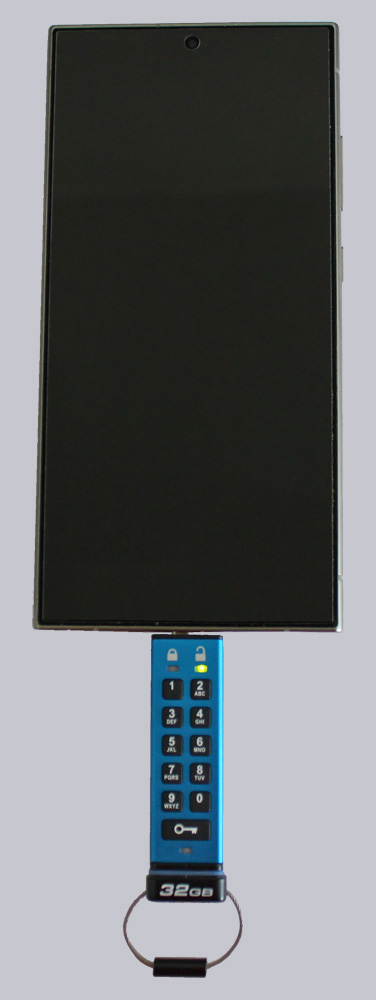
We have the option to set up an administrator account to reactivate the flash drive even if the user password has been forgotten or the account has been locked due to a brute-force attack (10 attempts). We can set the flash drive to read-only mode to prevent accidental deletion or enable an automatic lockout mode lasting between 1 and 99 minutes in case we accidentally leave the flash drive plugged into a PC.
There is one small downside, however. Due to the limited number of buttons and configuration options, there are several button combinations you need to know by heart to make changes to the settings. So you can’t really do without the user manual. But that’s a price we’re happy to pay, since you don’t usually change these settings very often. Let’s see if the flash drive can hold up in everyday use.
Transmission Rates and Usage …
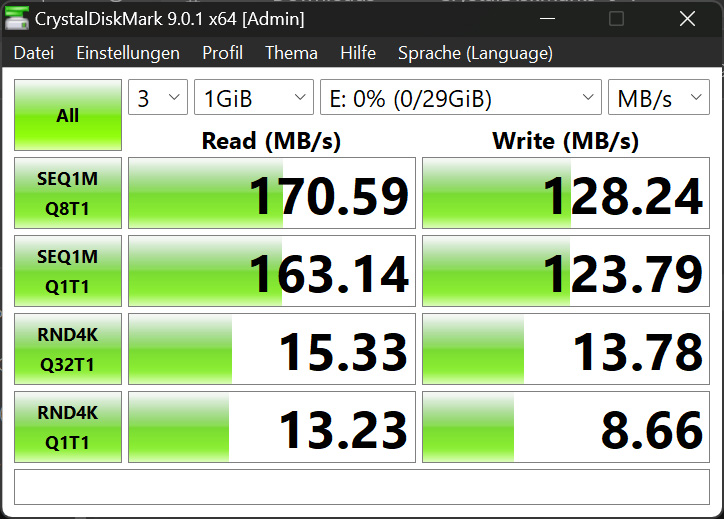
Thanks to its USB-C port, the Kingston IronKey Keypad 200C shouldn’t be the slowest on the market. We tested it using Crystal Disk Mark version 9.0.1. The drive is rated at 145 MB/s read and 115 MB/s write. In our test, the IronKey actually exceeded these figures.
Unlocking the flash drive is straightforward. Although the buttons are small, they shouldn’t pose a problem for fingers of average size. Even though the password can be between 8 and 15 characters long, we opted for a 10-character combination. Kingston recommends forming a word and pressing the buttons accordingly. This makes the passphrase easier to remember, but it also carries the risk of it being cracked more easily if you use something familiar. After ten incorrect attempts, the flash drive either locks the user password or, if there is no administrator account, erases the entire flash drive and resets it.
But for now, let’s unleash our creative spirit 😉
Classified …
Now comes the part everyone has surely been waiting for. Kingston advertises that the PCB is encapsulated in a special epoxy resin to make tampering even more difficult. Let’s take a look! Opening the flash drive was easy. The keyring and the sticker on the end had to be removed. Unfortunately, one of the two screws broke while I was unscrewing them. The flash drive could still be opened, though.
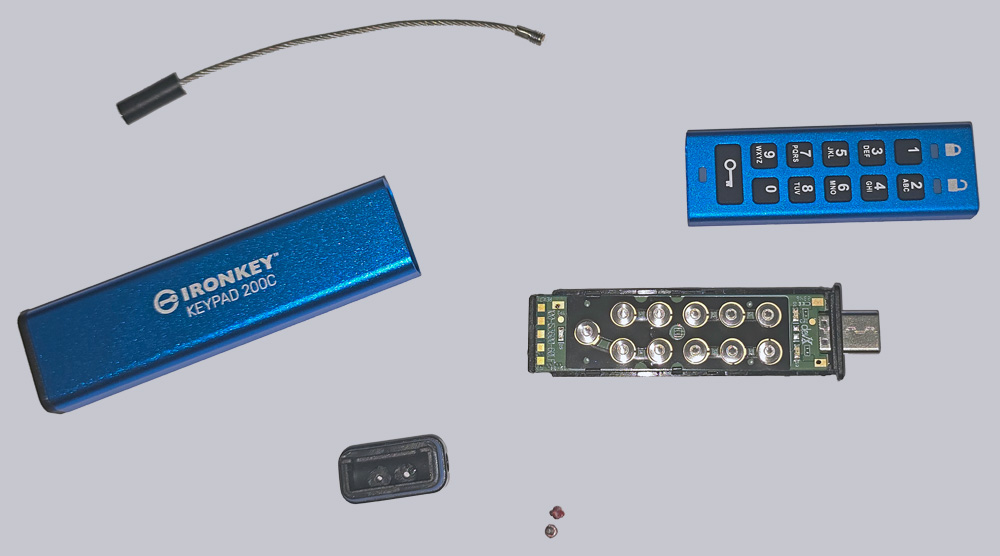
The top side shows the LEDs and the keypads.
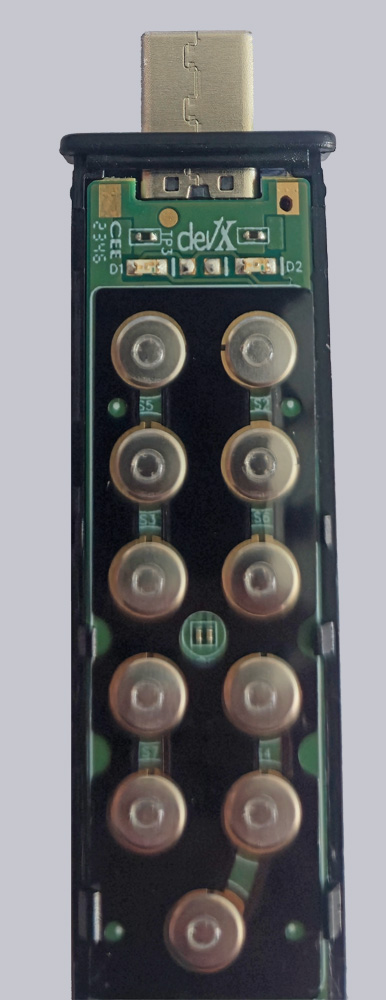
On the bottom, we find the built-in battery, which can be charged via the USB port. Unfortunately, the battery is already over two years old and has thus reached the lower limit of its service life. However, this may also be due to the test unit we were provided with. If you know how to solder, you can replace it even after it has died…
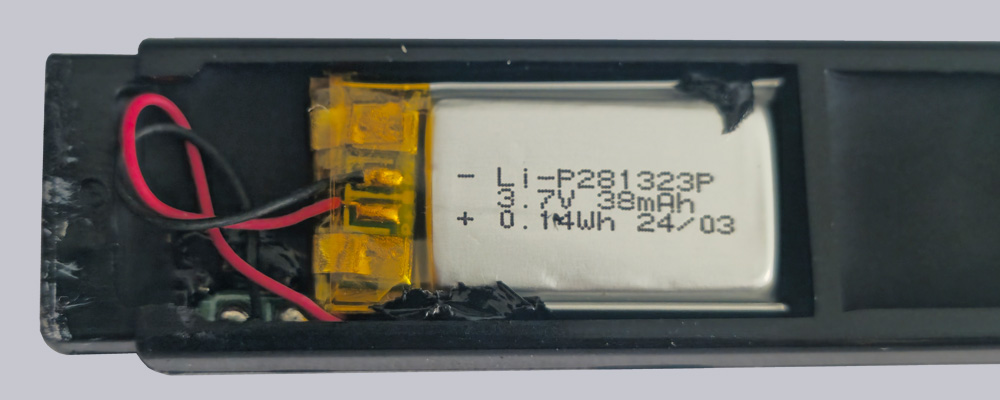
… since the solder points are relatively easy to reach.
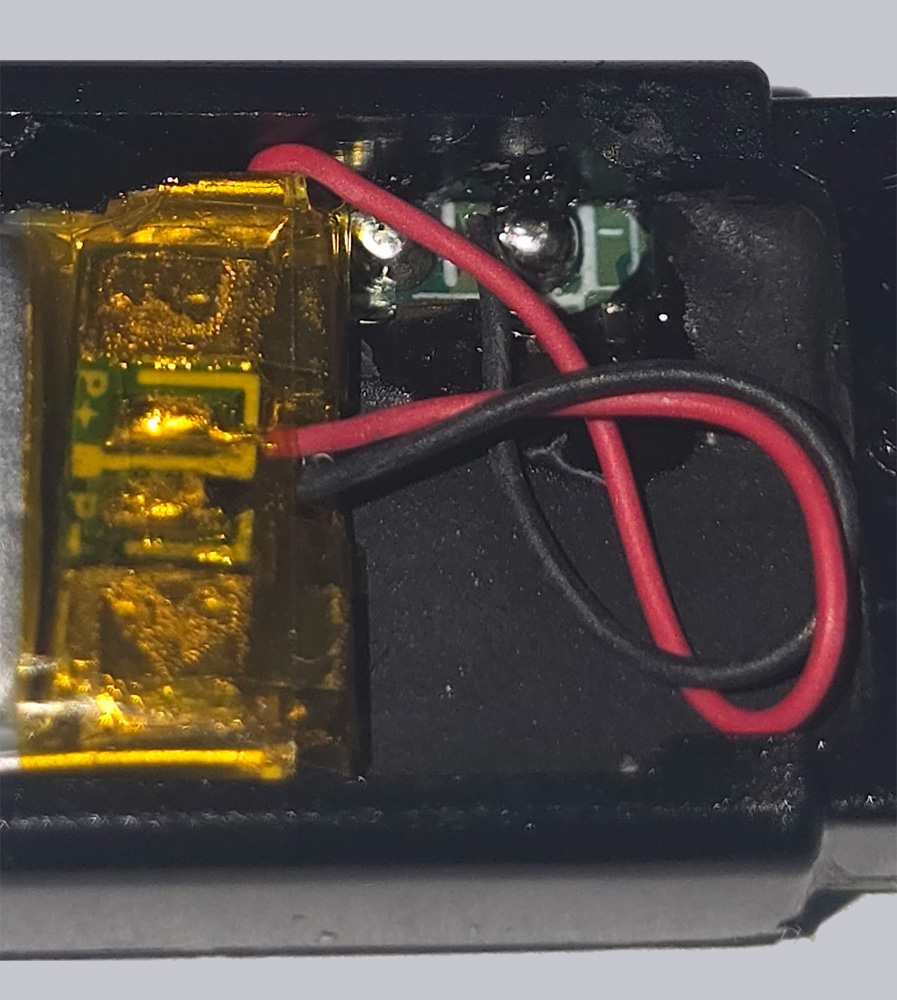
The entire circuit board is encapsulated in a special epoxy resin.
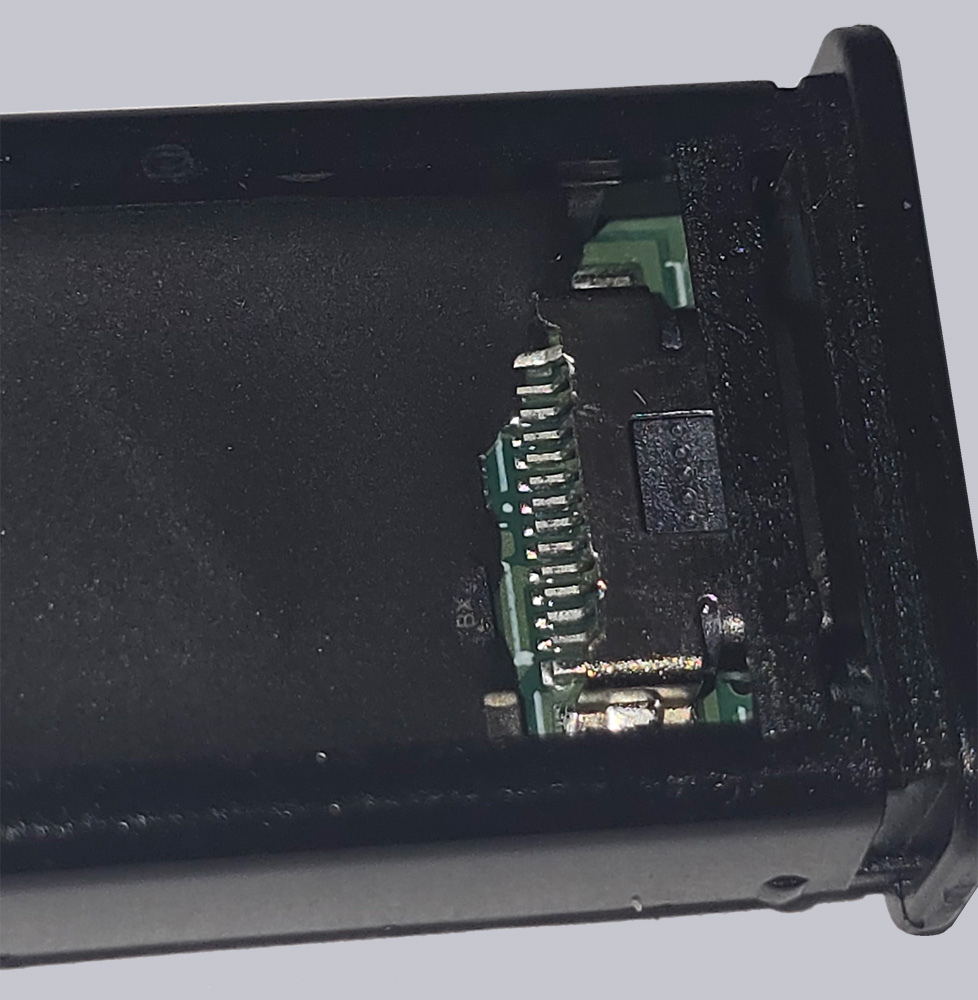
Even scraping it off and treating it with isopropyl alcohol and nitro thinner didn’t dissolve the resin. You’d have to start using a Dremel to grind away the layers, which probably wouldn’t be possible without damaging the components. We could still try using heat, which might be successful, but our Bunsen burner is staying in the cabinet today. So there’s no danger to our data from this side either.
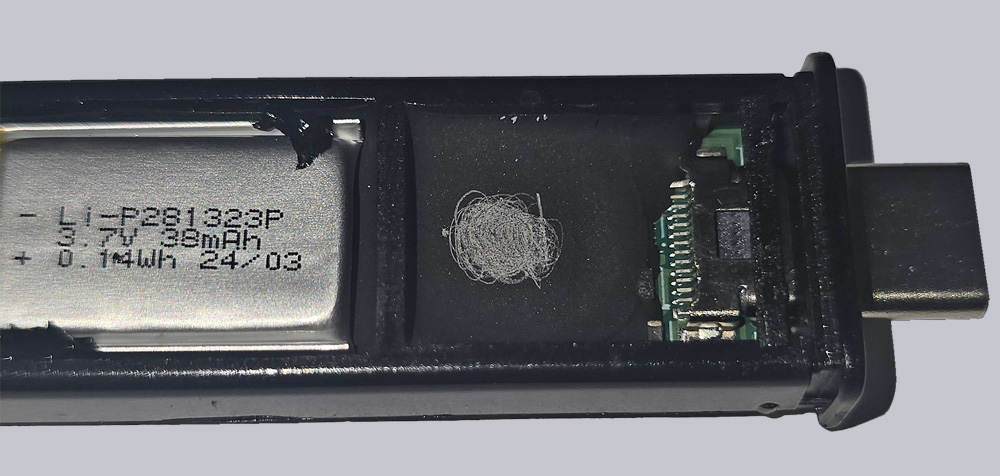
Finally, we triggered the deletion via a brute-force attack, only to recover the data shortly afterward using a data recovery tool. Here, too, only data garbage was recovered, meaning our data remained protected from unauthorized access.
A study by the University of Cambridge has since identified a potential attack vector that could theoretically be successful. However, this method aims to reset the ten-failure limit before it is reached. To do this, the eMMC chip must be desoldered no later than the ninth failed attempt and loaded with a previously created backup. This gives the attacker another nine attempts to guess the PIN. And we’re talking about a theoretical maximum of 1 trillion possible passwords!
Now let’s move on to our conclusion.
Kingston IronKey Keypad 200C USB-Stick Result and general impression …