


Installation …
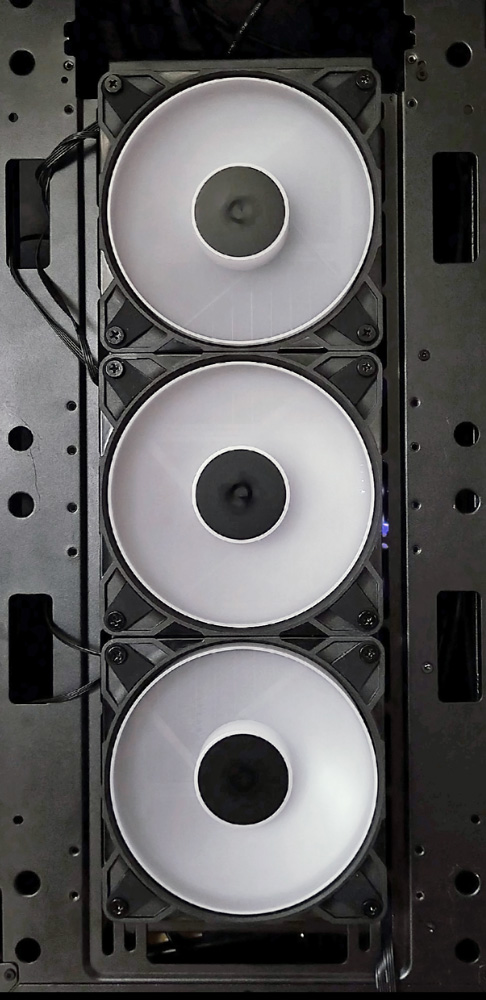
For the following practical testing, we installed three P12 Pro Reverse fans at the front of the PC case in front of a CPU water cooling radiator. The ASRock B650E Taichi motherboard we used delivers up to 2A at the CHA-FAN1 connection, which is sufficient for the three P12 Pro Reverse fans. No more than two P12 Pro Reverse fans should be connected to a port that delivers a maximum of 1A. For full functionality and performance, the P12 Pro Reverse should also only be operated on a PWM connection.
Practical testing …
For practical testing, we compare the CPU temperature at the same fan speed and noise level with the conventional fans that were previously mounted on the radiator. An AMD Ryzen 9800X3D processor is used, which is subjected to maximum load with the Prime95 small FFT stress test. Since the P12 Pro Reverse fans transport the air from inside the PC case to the outside, the side panel of the case is removed so that the fans can draw in fresh air.
In this configuration, the P12 Pro Reverse fan performs impressively. On the 360 mm radiator, the 9800X3D processor reaches just 75.8°C at 2000 rpm in an ambient temperature of 25°C. This puts the P12 Pro Reverse only 0.4°C behind the previously installed fan. However, the P12 Pro Reverse is significantly louder than its competitor, which is why we turn down the P12 Pro R until the volume is identical, which is the case at 1730 rpm instead of the previous 2000 rpm. At the same volume, the CPU temperature rises by 0.8°C, meaning that at the same volume, the P12 Pro R performs 1.2°C worse on a radiator than the conventional fan previously installed. Thanks to PWM control, however, the performance of the P12 Pro Reverse can always be finely adjusted and optimally adapted to the existing requirements despite the large speed range.
Noise level …
In practical testing, three P12 Pro Reverse fans running at 2000 rpm and positioned 35 cm away generated a noise level of approximately 51.5 dBA, which is already significantly higher than average. The P12 Pro R mainly emit a dull, bouncing noise that clearly differs from the brighter, rushing noise of the 9-blade competitor fans.
At full speed, it gets really loud. You should only turn the P12 Pro Reverse up this high if it is absolutely necessary and you have appropriate noise insulation. But as the saying goes, better to have power than need it.
At a minimum speed of 500 rpm, the three P12 Pro R fans are practically inaudible compared to the other PC case fans and are drowned out by the background noise level. This makes the P12 Pro R suitable for a wide range of applications and ideal for virtually all PC use cases.
Arctic P12 Pro Reverse A-RGB Lighting …