

Practical testing …
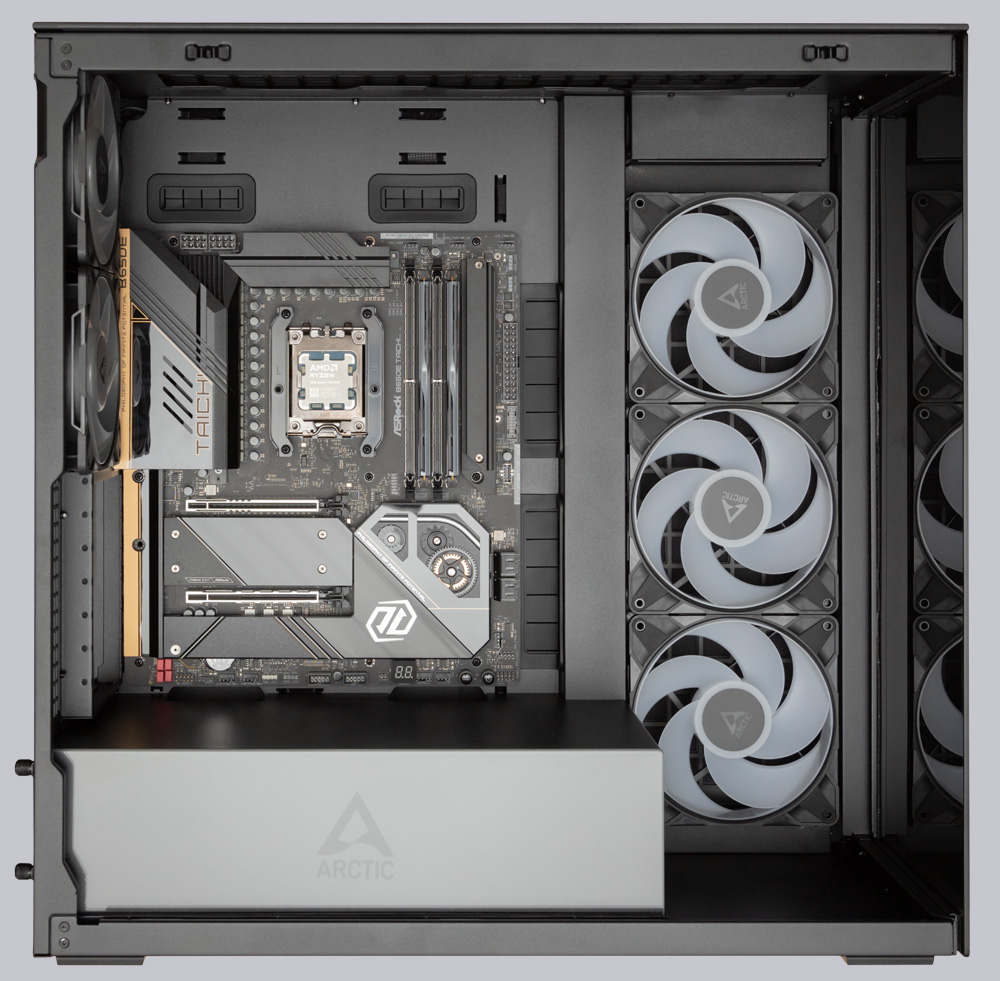
For practical testing, we are using the ASRock B650E Taichi AM5 motherboard with an AMD Ryzen 9800X3D processor, cooled by an Arctic Liquid Freezer 3 Pro 360, as well as an ASUS TUF RX 7900 XT graphics card, which is one of the larger models in its class. To install the motherboard, the vertical graphics card bracket must first be removed, as it is attached to one of the motherboard’s mounting points. After a few quick steps, the bracket is gone and the board is in place. It’s immediately apparent that there’s plenty of space left above the motherboard. A 420mm radiator of considerable thickness, complete with fans, fits easily under the top of the case, and even then, all the connectors in the upper section of the motherboard would still be easily accessible.
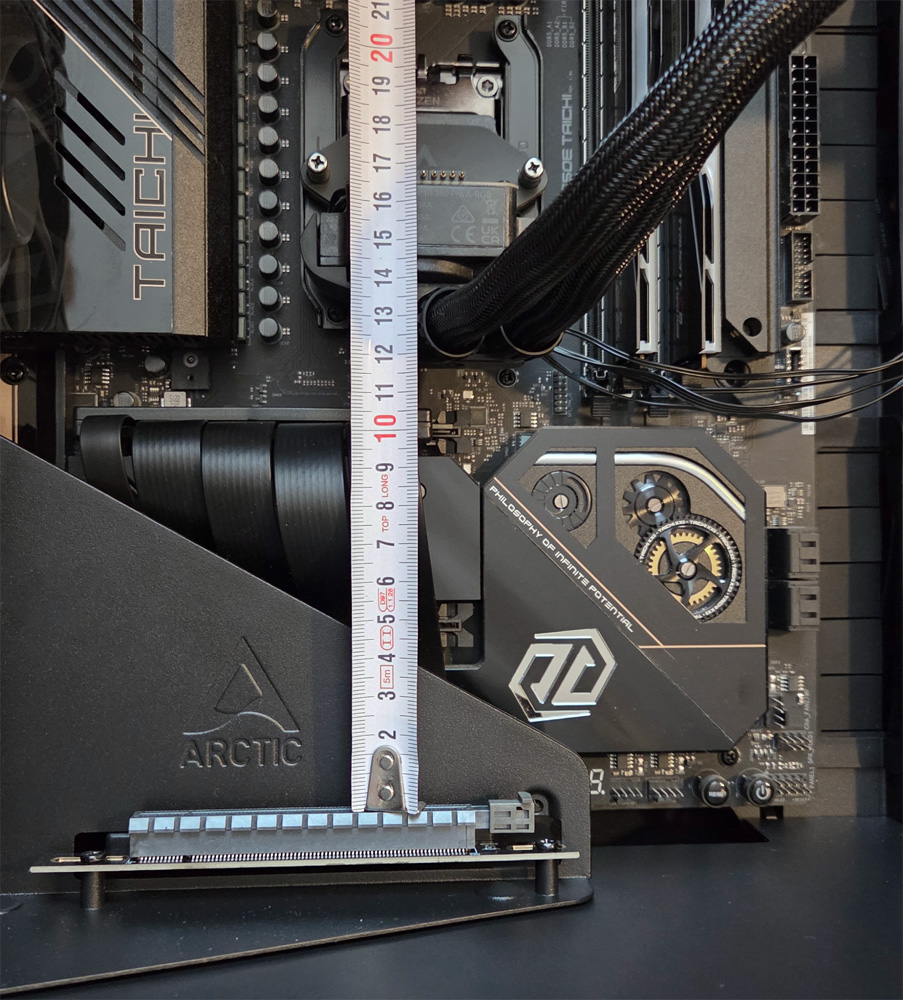
Since we want to ensure optimal cooling for the AMD Ryzen 7 9800X3D, we first remove the three large reverse fans and replace them with the radiator from the Arctic Liquid Freezer 3 Pro liquid cooler. However, once the cooler was mounted on the processor and the graphics card bracket was reinstalled, we quickly felt a sense of disappointment. The graphics card does not fit in the intended space. There is only about 116 mm of clearance between the PCIe slot of the graphics card bracket and the water cooler, but the graphics card requires a good 140 mm.
In theory, thanks to its symmetrical design, the cooling block could have been mounted on the processor rotated 180 degrees, but even then, the cover-including the RGB lighting-could not have been installed.
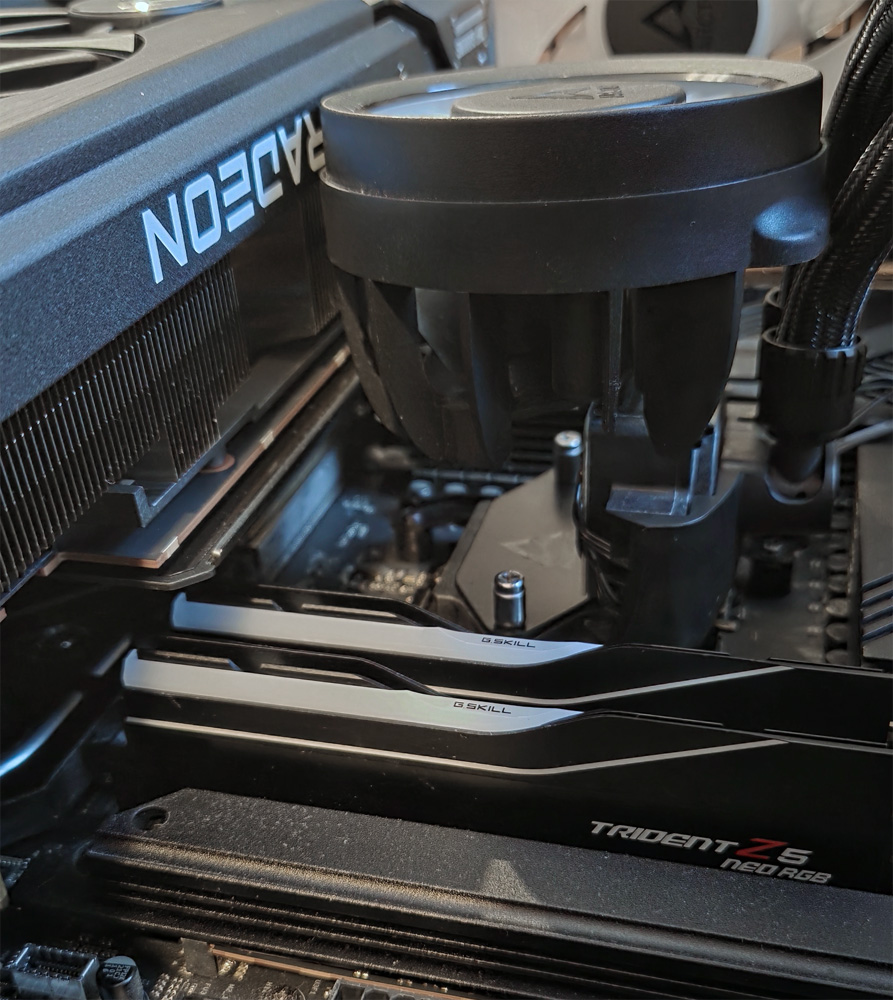
So the vertical graphics card mount had to be removed again, and the graphics card had to be installed the conventional way. But even that almost went wrong, because the 353mm-long graphics card only has 3-4mm of clearance between it and the water cooler’s fans. Likewise, a water cooling system with a 280mm or 420mm radiator should not have been installed, otherwise the graphics card wouldn’t have fit either. For such a large case, that’s actually a bit unusual. A look at the Xtender Case’s compatibility list reveals that a large portion of graphics cards in the top third of performance are listed as not fully compatible. We hope that our assembly example has provided a good overview of the issues with the Xtender case and what might still fit inside, since the user manual does not provide clear information on this. However, if no water cooler is mounted on the right side and the graphics card is inserted into the motherboard’s PCIe slot, there are practically no restrictions regarding the graphics card’s length.
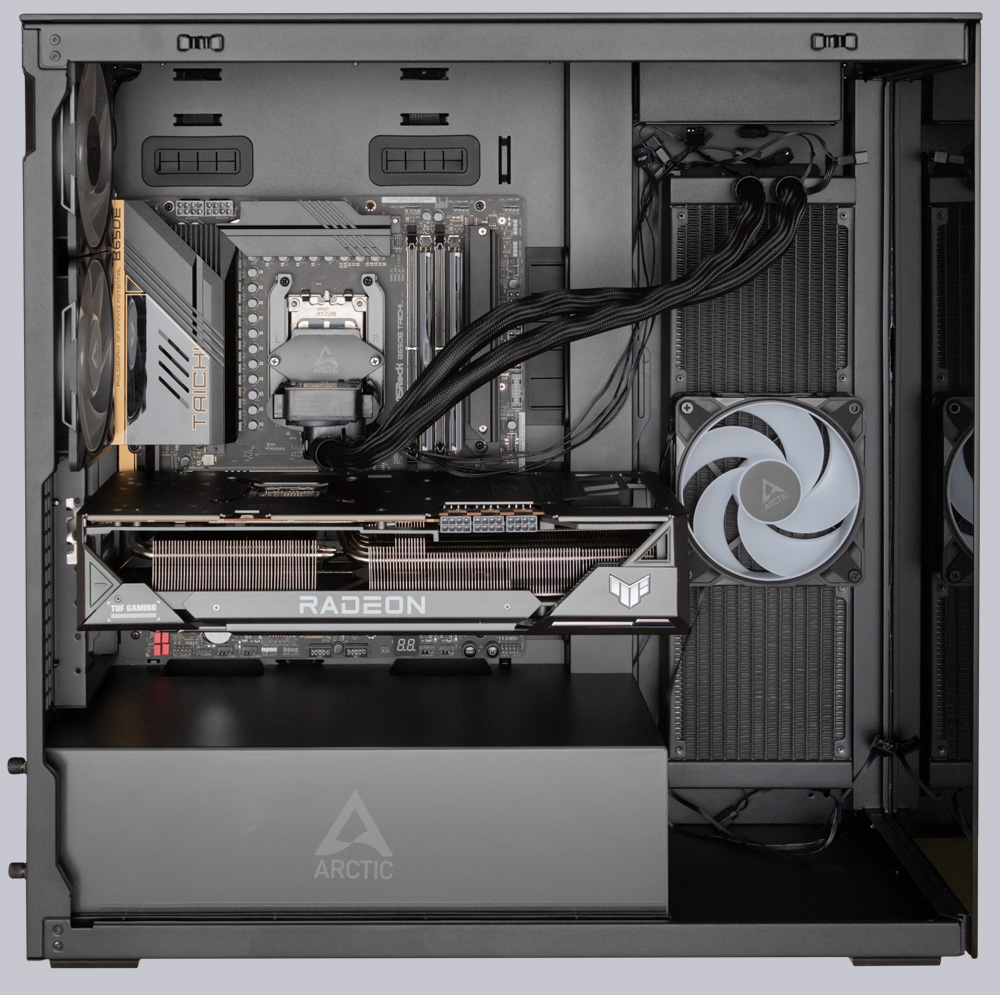
The cable routing, on the other hand, is gentle on your fingers and nerves, because thanks to the well-placed cable openings and ample space, every cable quickly finds its place inside the Xtender PC case.
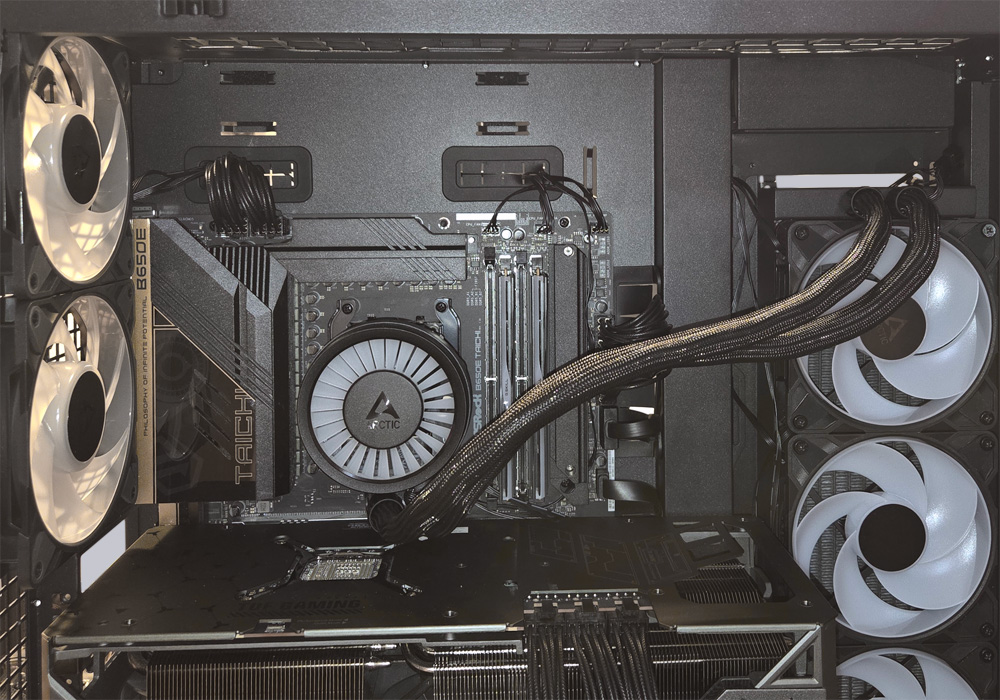
A few extra grommets to help route and bundle the cables more neatly would be nice. Especially in the upper section, the fan cables just hang loosely, which doesn’t look very neat.
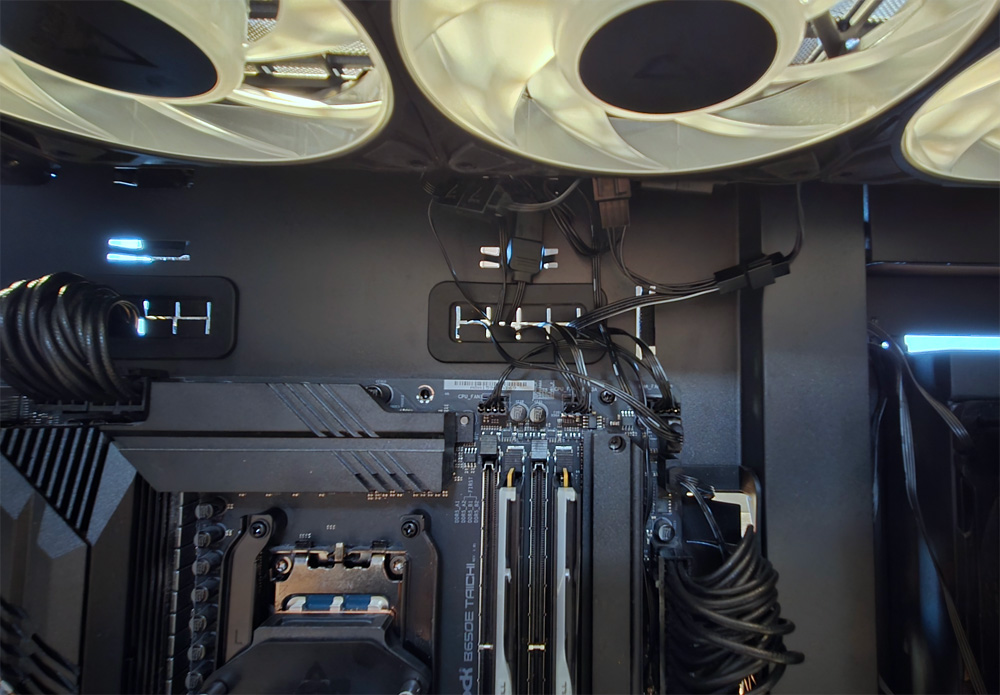
Otherwise, assembling the system went smoothly. The build quality of all components in the Xtender case is top-notch. All screws and connectors fit perfectly, and nothing wobbles. The sturdy steel panels also give a solid impression, and the panel gaps are uniform. This high-quality feel is further confirmed during system operation. Whether at high or low fan speeds, we were unable to provoke any rattling of the panels. Even after prolonged operation, no unpleasant vibrations developed, so the Xtender case is also ideal for quiet operation thanks to its quiet-running fans. The fans don’t need to spin particularly fast either, as the airflow is also excellent. Both the AMD Ryzen 9800X3D processor and the high-performance graphics card remained well below critical temperatures during the extensive test runs.
All that remains is to clarify the visual features of the Xtender PC case.
Arctic Xtender ARGB Lighting …