

Schnell zur richtigen Hardware Ausstattung …
Layout, design and features
ASRock X870E Taichi OCF Chipset
ASRock X870E Taichi OCF Voltage Regulator and Heat Sink
ASRock X870E Taichi OCF Expansion Cards
ASRock X870E Taichi OCF Memory Modules
ASRock X870E Taichi OCF M.2 Slots
ASRock X870E Taichi OCF Drive Connection
ASRock X870E Taichi OCF USB
ASRock X870E Taichi OCF Network / Wireless
ASRock X870E Taichi OCF Sound
ASRock X870E Taichi OCF Thermal Sensor
ASRock X870E Taichi OCF OC Features
ASRock X870E Taichi OCF RGB Lighting
ASRock X870E Taichi OCF ATX Equipment and Other Features
ASRock X870E Taichi OCF PC System
Now it’s time to take a closer look at the ASRock X870E Taichi OC Formula.
Layout, design and features …
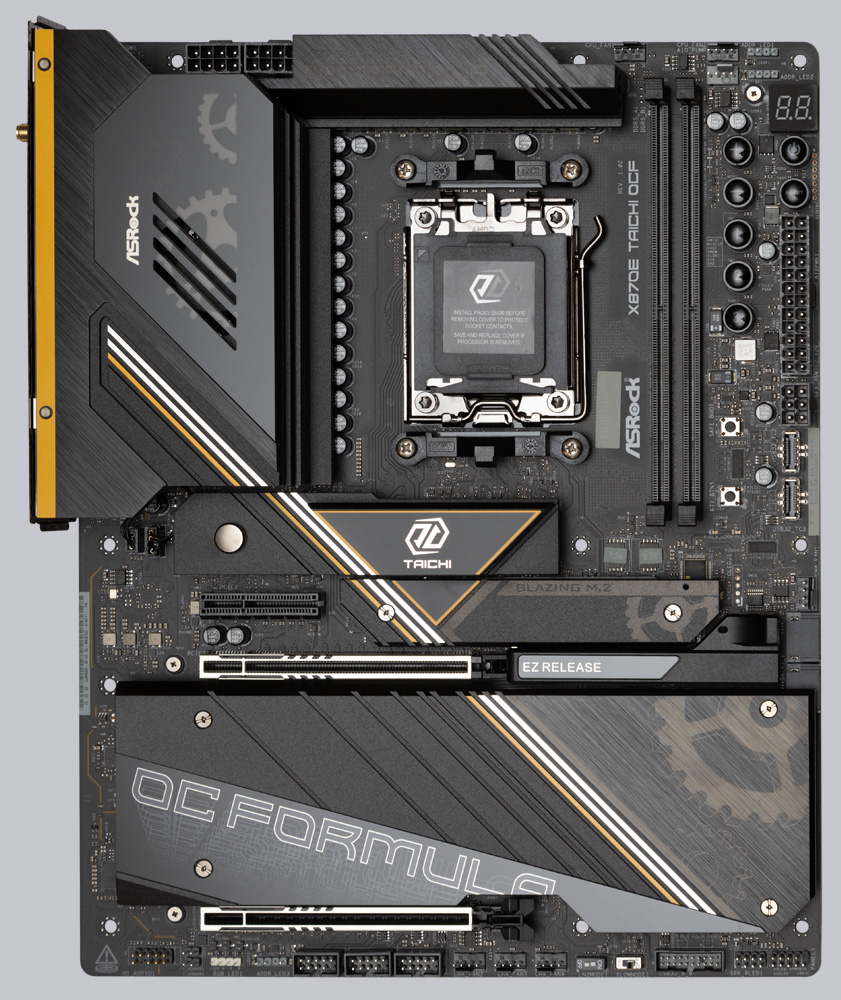
The ASRock X870E Taichi OCF is based on an extremely high-quality, high-density fiber optic board with 10 layers and, with the AM5 socket, currently supports all AMD Ryzen CPUs in the 7000 and 9000 series, including their X3D derivatives, as well as all APUs in the 8000 series. The power supply in the 22+2+1 layout consists exclusively of 110A Smart Power Stages and delivers power in abundance, so nothing stands in the way of chasing OC records. Nichicon 20K Black Caps capacitors have become virtually standard in ASRock’s high-end range. Noteworthy interfaces include two PCIe 5.0 x16 slots and six M.2 slots. To achieve the highest memory clock frequencies, there are only two DIMM slots. Two USB 4.0 ports and Wi-Fi 7 round out the feature set.
Chipset …
Two Promontory 21 chips connected in series form the basis of the X870E chipset (PCH). They are only connected to the CPU via a PCIe 4.0 x4 interface, which means that all PCIe 5.0 connections are made directly via the CPU. Since the PCH of the X870E chipset has a large number of connection options, only a few of the numerous ports and slots of the X870E Taichi OCF share the available PCIe lanes, which means that almost all slots can be used simultaneously.
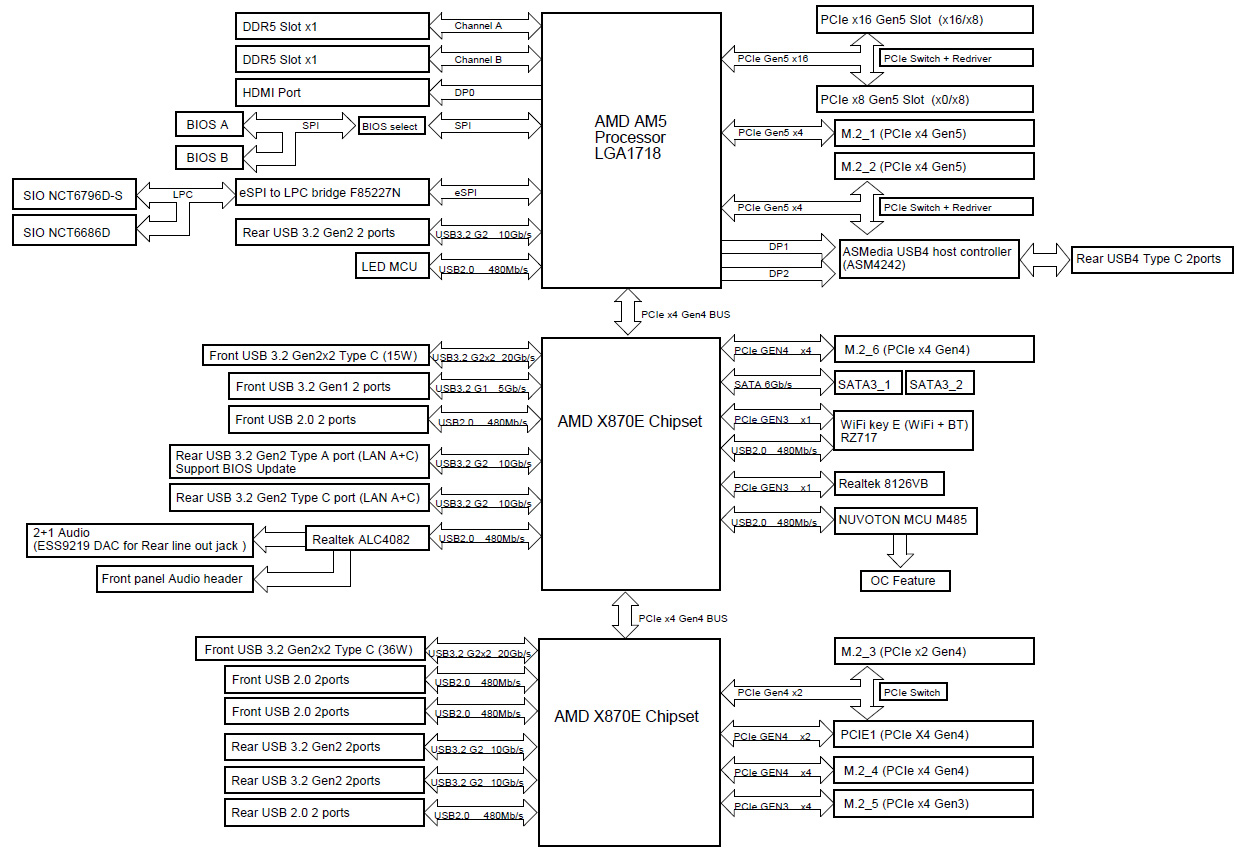
Below is an overview of how AMD intends to connect the interfaces. Board manufacturers may implement different designs.
| AMD AM5 chipset comparison | ||||||
| Chipset | PCIe total | PCIe Gen5 | USB 3.2 Gen1 | USB 3.2 Gen2 | USB 3.2 Gen2x2 | SATA |
| X870E | 44 | 24 | 2 | 12 | 2 | 8 |
| X670E | 44 | 24 | 2 | 12 | 2 | 8 |
| X670 | 44 | 8 | 2 | 12 | 2 | 8 |
| X870 | 36 | 24 | 1 | 6 | 1 | 4 |
| B650E | 36 | 24 | 1 | 6 | 1 | 4 |
| B850 | 36 | 4 | 1 | 6 | 1 | 4 |
| B840 | 34 | 0 | 2 | 2 | 0 | 4 |
| B650 | 36 | 0 | 1 | 6 | 1 | 4 |
| A620 | 32 | 0 | 2 | 2 | 0 | 4 |
Attentive readers will have immediately recognized that the X870 chipset is actually just a renamed B650E chipset. Unfortunately, it remains unclear to us why AMD needs to cause even more confusion by wildly mixing up the descriptions, when there are already so many variants. However, with the table above, everyone should be able to find the chipset that best suits their needs.
Voltage regulators and heatsinks …
A powerful power supply is essential for stable processor overclocking. ASRock has installed a total of 25 110A Smart Power Stages in the X870E Taichi OCF in a 22 (Vcore) + 2 (Vsoc) + 1 (Vmisc) layout. They are supported by slightly oversized 20k black caps with 1000 microfarads. This lays the foundation for supplying every AM5 CPU with significantly more power than will ever be needed, no matter how high you try to overclock the CPU. The voltage converters are cooled by generously dimensioned aluminum heat sinks connected to a heat pipe. Although no active cooling is necessary during normal operation, ASRock has nevertheless installed two small fans that are well hidden by the SPS coolers and the I/O cover.
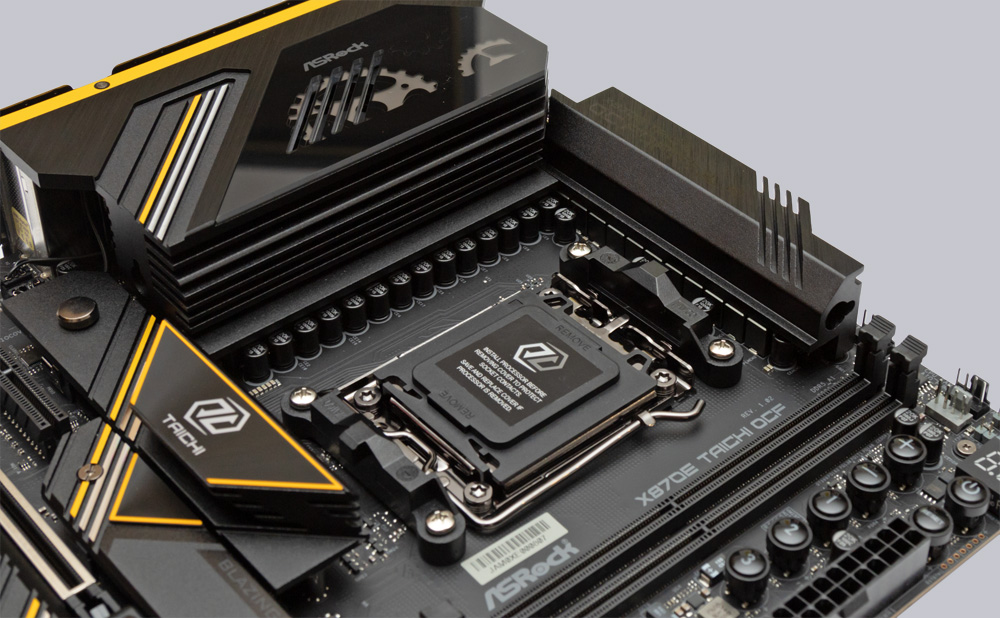
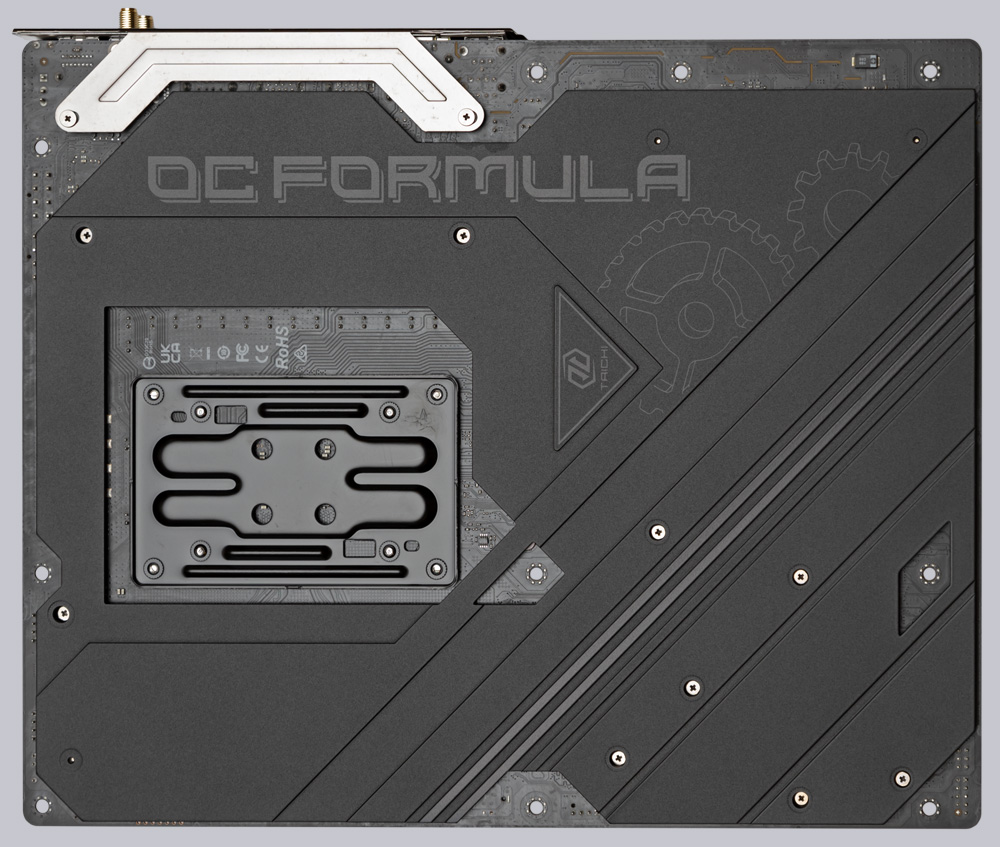
To further improve heat dissipation, ASRock equipped the X870E Taichi OCF with a large aluminum backplate. Thermal pads under the voltage converters transfer heat to the matte backplate, which also looks great.
Expansion cards …
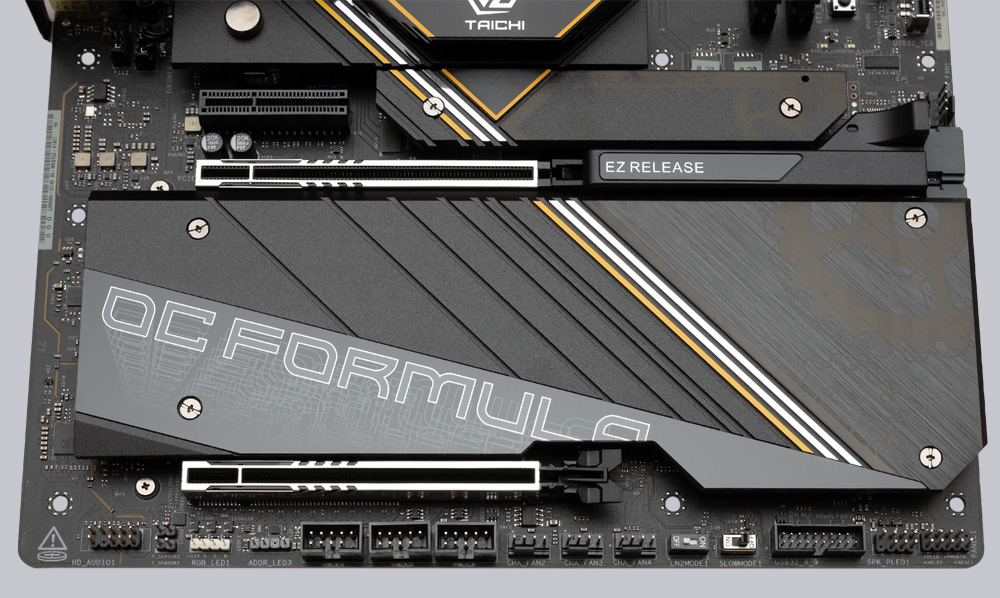
The upper of the two PCIe x16 slots is a full-fledged Gen 5 x16 slot. The lower slot shares the PCIe lanes with the upper slot. When installing two graphics cards, only eight PCIe lanes are available to each card. For maximum stability and shielding against interference, both PCIe slots have been reinforced with stainless steel plates. The upper slot is equipped with the EZ Release system to make it easier to remove graphics cards from the slot. Simply pull the EZ Release to the right with your finger and the PCIe card lock is released. There is also a PCIe 4.0 x4 slot, but 2 lanes are redirected to the M.2 Gen4 x2 slot as soon as an SSD is inserted into this slot.
Memory modules …
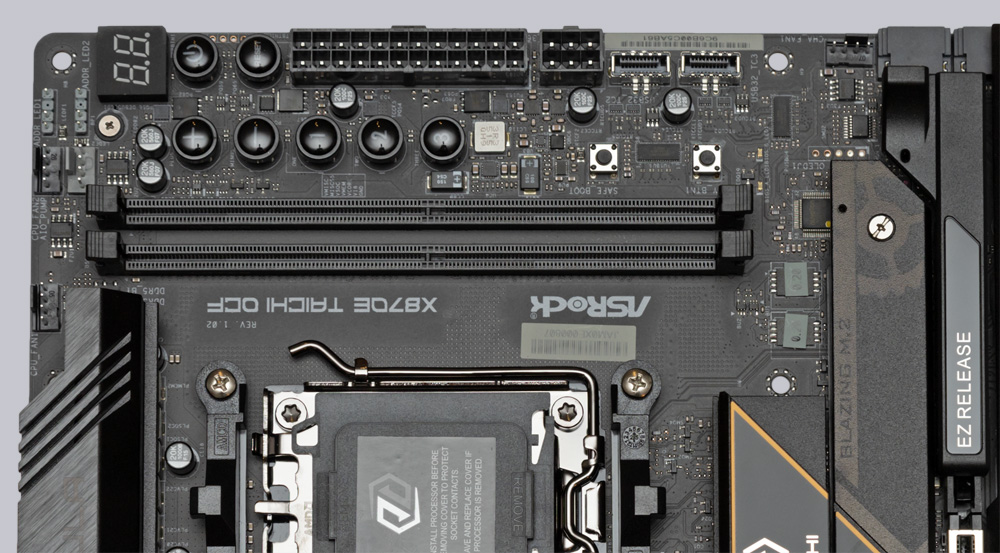
In order to achieve the highest possible clock frequencies for the RAM, ASRock only installed 2 DIMM slots to minimize susceptibility to interference. This has enabled ASRock to verify RAM kits with EXPO profiles of 8400 MT/s on the X870E Taichi OCF, and ASRock even promises 10400 MT/s for monolithic Ryzen 8000 APUs. Since the memory density of DRAM chips has increased significantly over the last 2 years, up to 128 GB of DDR5 RAM can currently be installed on the X870E Taichi OCF, and individual modules with 128 GB of RAM have even already been announced by the memory industry.
M.2 Slots …
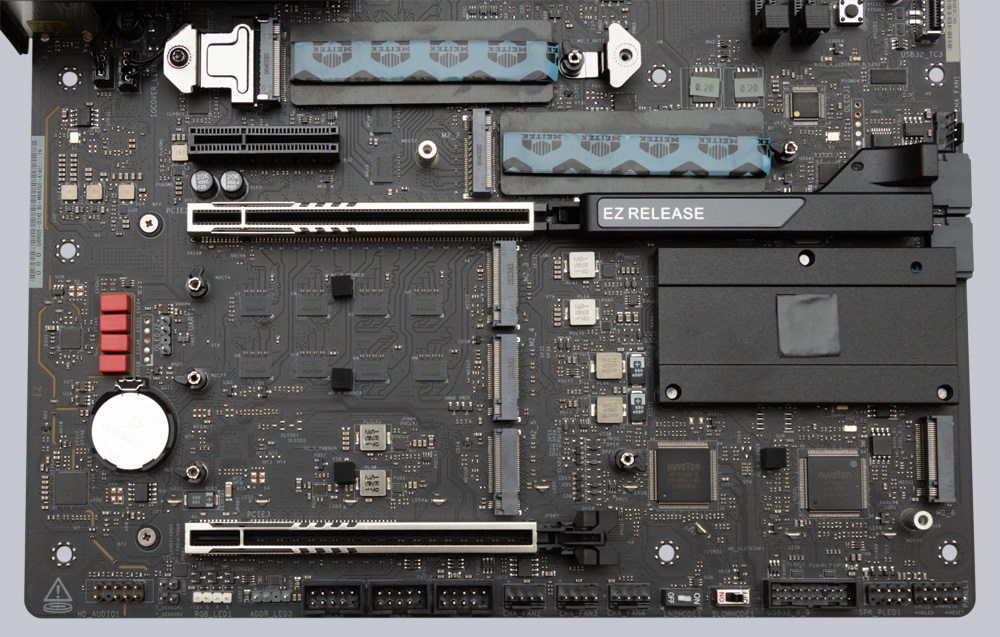
An incredible six M.2 SSDs can be operated simultaneously on the X870E Taichi OCF, with only 2280-size NVMe SSDs able to be installed in each slot. The two upper M.2 slots are connected directly to the CPU with 4 lanes of the 5th generation and have separate heat sinks and additional thermal pads on the underside of the SSD. Only the top cooler also has a quick-release fastener. When using the 2nd Gen5 slot, the two rear USB4 ports are disabled. The board also has two Gen4 x4 slots, one Gen3 x4 slot, and one Gen4 x2 slot. The latter branches its 2 PCIe lanes from the PCIe x4 slot, and the 4 M.2 slots of the PCH are covered by a single large cooler that is attached to the motherboard with 4 screws. While this isn’t particularly user-friendly, it does look stylish. However, we don’t think it’s an ideal solution that the M.2 cooler also covers the chipset cooler and that these two coolers are only connected by a tiny thermal pad. From a thermal perspective, it would have been better to make the M.2 cooler smaller and not place it over the chipset cooler.
Drive connectors …
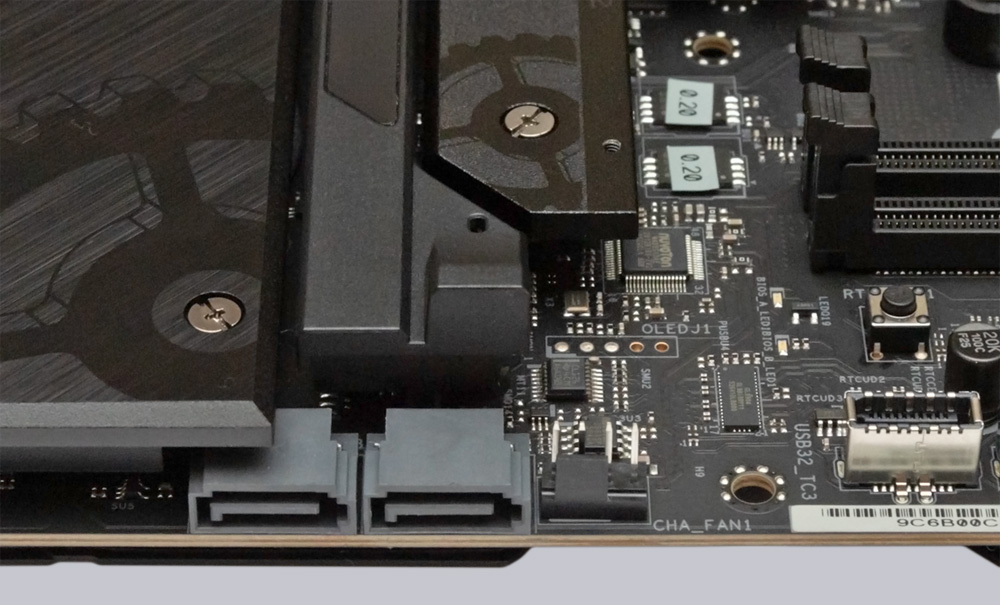
Two angled SATA3 ports with 6 Gb/s are available for optical drives and hard drives/SSDs. Raid modes 0, 1, and 10 are supported on both the SATA ports and the M.2 ports. The necessary programs for RAID configuration and installation are available for download on the ASRock website.
USB …
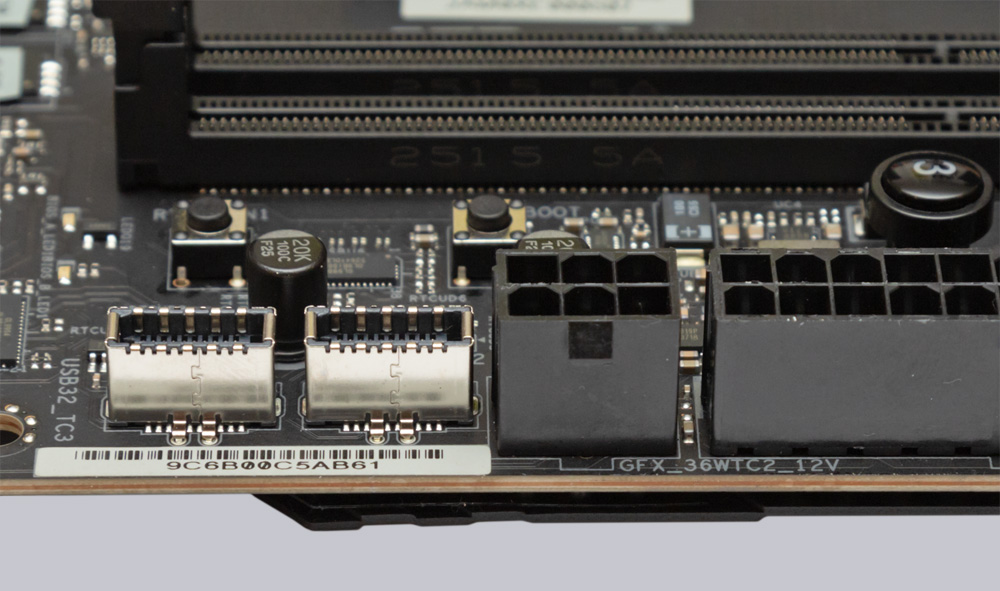
The X870E Taichi OCF has plenty of USB ports. It even has two USB3.2 Gen2x2 front USB headers with 20 Gb/s, one of which supports fast charging according to PD 3.0 (12V / 3A). To ensure full power delivery, another PCIe power connector must be connected in addition to the 24-pin ATX power connector. The front USB section is supplemented by another USB 3.0 header with 5 Gb/s and three USB 2.0 headers. The following image shows the two USB 3.2 Gen2x2 headers next to the additional power connector.
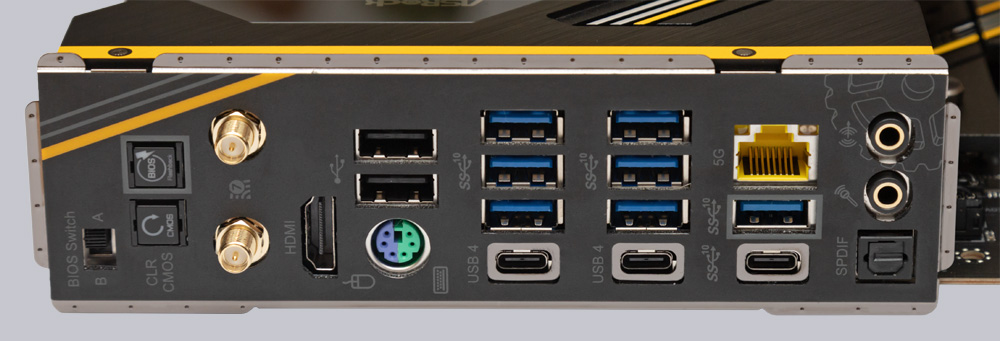
In addition to the ten USB ports that can be implemented via the internal headers, the X870E Taichi OCF also has seven USB 3.2 Gen2 Type-A ports with 10 Gb/s, one USB-C with 10 Gb/s, 2x USB 2.0 ports, and two USB4 Type-C ports on the rear I/O panel.
Network / Wireless …
Thanks to the Realtek RTL8126 chip, the LAN connection achieves transfer speeds of up to 5 Gb/s. The Wi-Fi chip is also state-of-the-art with Wi-Fi 7 and transmits at up to 6GHz and 160MHz channel width. Of course, connections via 2.4 GHz and 5 GHz are still possible. In addition, a powerful 2Tx2R antenna is included, which can be connected to the rear I/O panel if required and is also responsible for the Bluetooth 5.4 connection.
Sound …
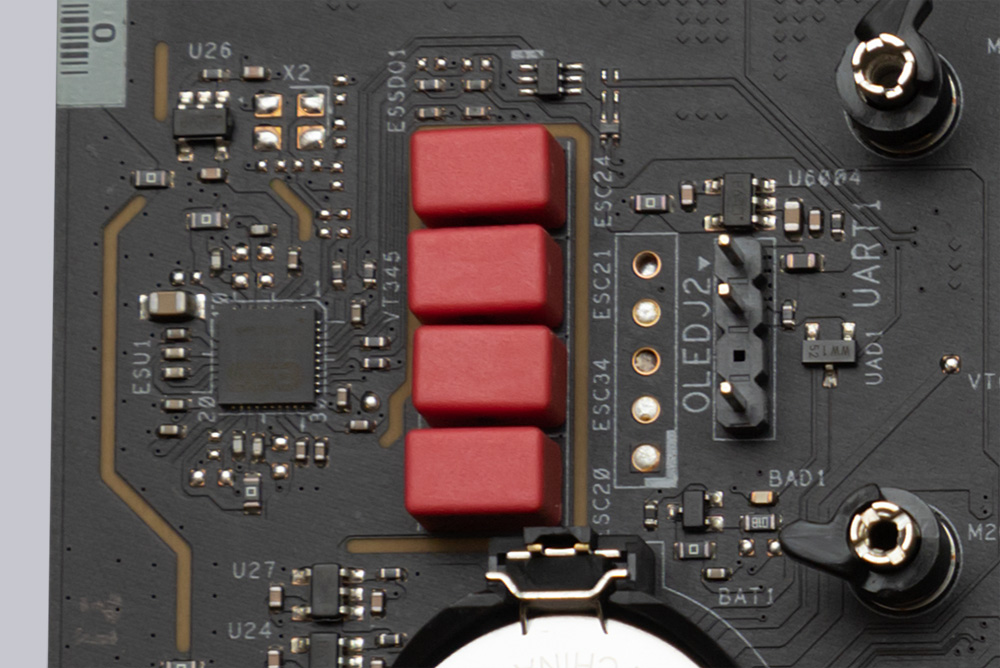
When it comes to sound, only the best currently available in the onboard sector is used. The 5.1 HD sound is delivered by a Realtek ALC4082 chip, which has been combined with an ESS SABRE9219 DAC. Thanks to WIMA audio caps, separate channel shielding on the PCB, and Nahimic audio support, the signal-to-noise ratio is an impressive 130dB. In addition, the audio section features impedance detection, which means that low-impedance and high-impedance headphones with up to 600 ohms can be used without any problems. For 5.1 sound via jack, an additional jack socket on the case must be connected via the internal audio header, whose contacts have even been gold-plated. There is also an optical S/PDIF output on the rear I/O panel.
Temperature sensor …
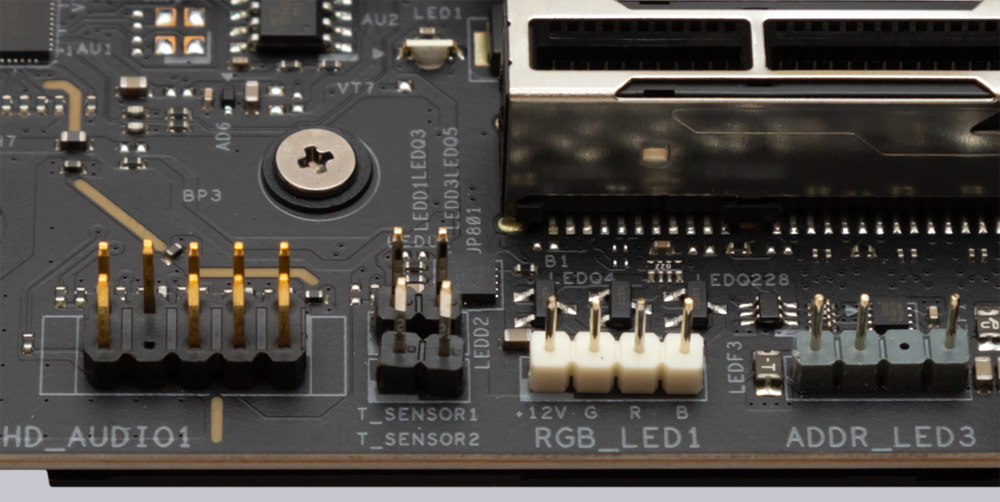
To achieve optimized case ventilation, the X870E Taichi OCF has two 2-pin connections for temperature sensors, which can be used for fan control via the motherboard.
OC Features …
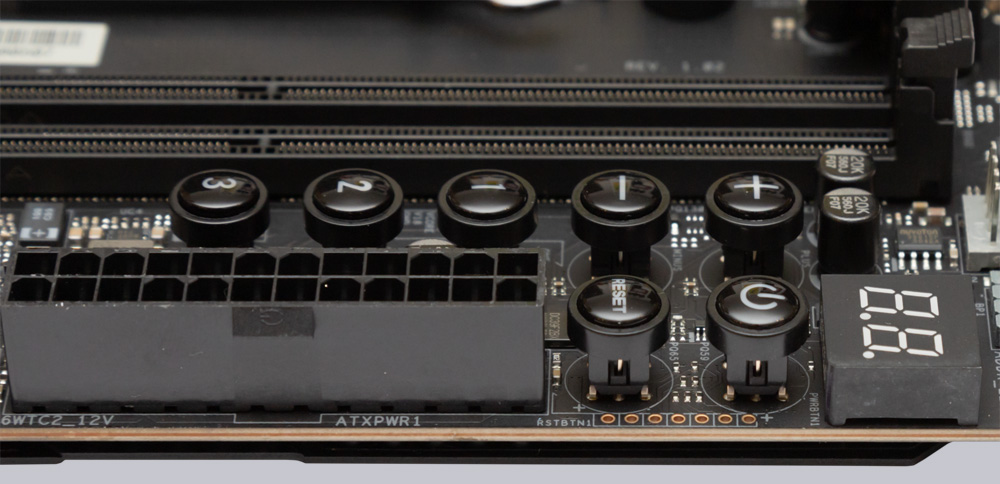
However, the ASRock X870E Taichi OC Formula motherboard also offers specific features that are only found on genuine overclocking boards. The use of liquid nitrogen requires operation on a benchtable, so it is useful to have the power and reset buttons already on the motherboard. These are located next to the digital POST code display, which provides the user with valuable information in the event of boot problems. Next to the power button are buttons for increasing and decreasing the BCLK, as well as three numbered buttons for calling up previously stored BCLK frequencies. In front of the power button, there are also 6 contact points for voltage measurement.
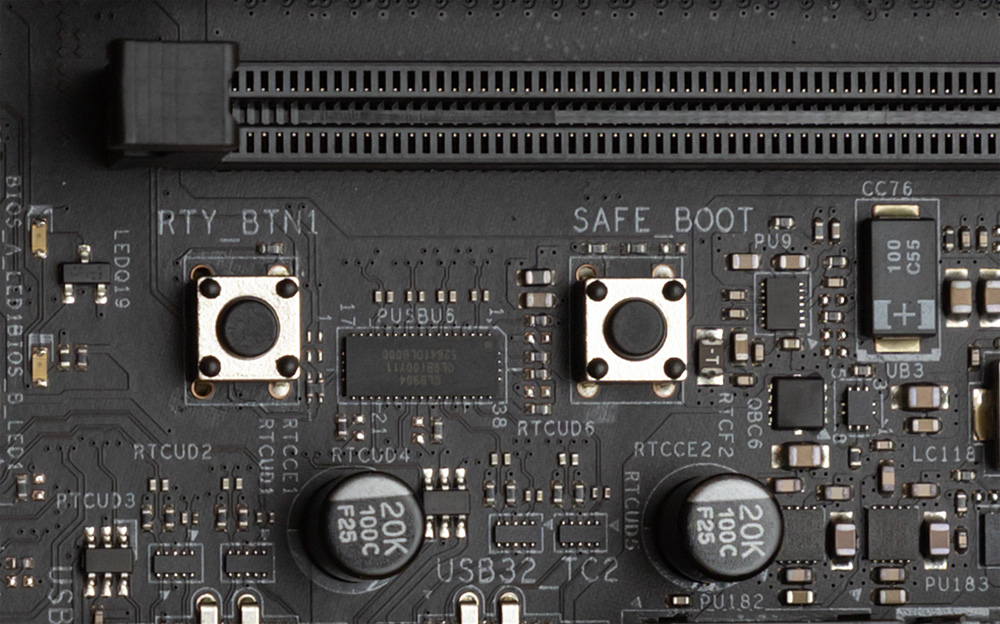
There is also a retry button and a safe boot button on the board. Right next to the two buttons are two LEDs that indicate which of the two BIOS chips is currently in use. However, a glance at the rear I/O panel would also provide this information, as the BIOS selector switch is clearly labeled.
To circumvent the cold bug when using liquid nitrogen, the X870E Taichi OCF also features an LN2 switch and a slow mode switch to force the processor to run at the lowest possible clock speed.

RGB lighting …
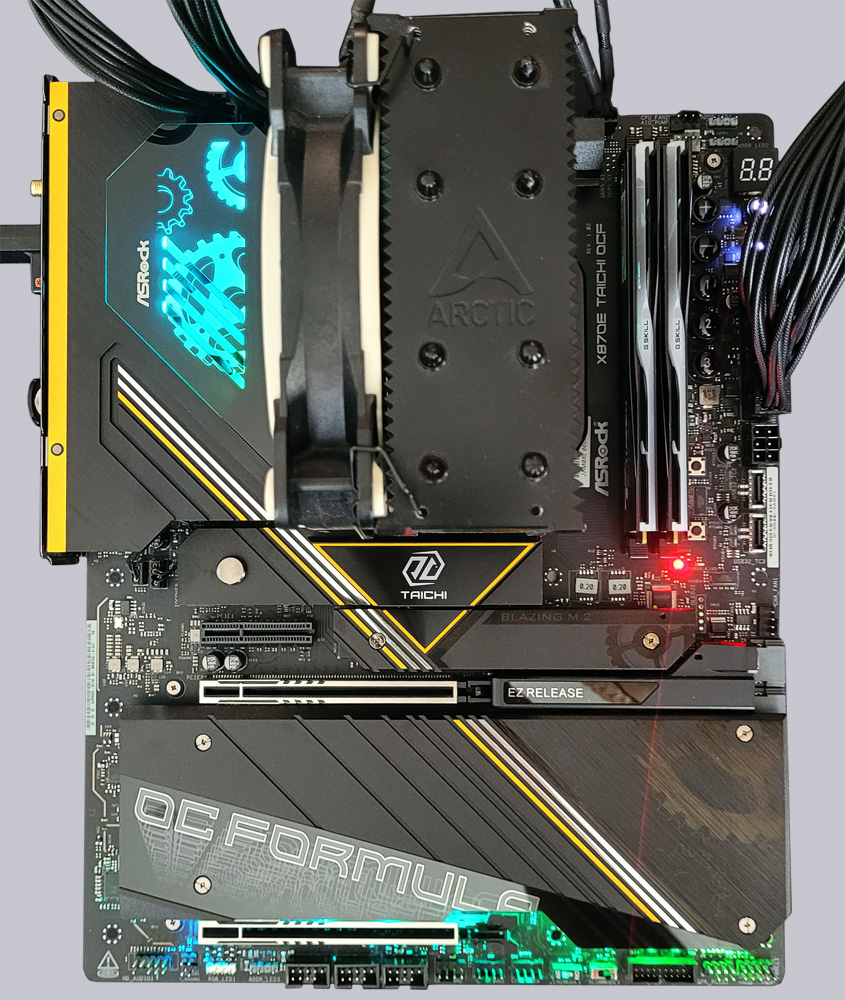
Of course, ASRock has not dispensed with RGB lighting on the X870E Taichi OCF, equipping the board with an illuminated I/O cover and a few exposed LEDs on the lower edge of the motherboard. To expand the RGB lighting, the motherboard also features three pin headers for connecting 5V A-RGB elements and a 4-pin RGB (12V) pin header. An A-RGB splitter cable is also included with the board.
Equipment and other features …
The ASRock X870E Taichi OCF has numerous useful features such as the ASRock A-Tuning Tool, ASRock Instant Flash, BIOS Flashback, NVMe Sanitization Tool, Digi Power, ASRock Polychrome RGB and ASRock FAN-Tastic Tuning, Blazing OC-Tuner, PD 3.0 Quickcharge with 36W, Lightning Gaming USB Ports, and Auto Driver Installer. Wi-Fi 7 and 5Gbit/s LAN provide fast network connections for the future. The quick-release fasteners on all M.2 slots and on the top M.2 cooler are also extremely practical, and the EZ Release on the top PCIe 5.0 slot significantly increases convenience. 2x USB4 and 2 fast front USB-C ports complete the high-end features of the first Taichi OCF board for AMD.
Test System …
For testing the ASRock X870E Taichi OCF, we are using an AMD Ryzen 7 9800X3D CPU and 2x 24GB DDR5-6000 from GSkill, as well as the brand new Crucial T710 Gen5 SSD.
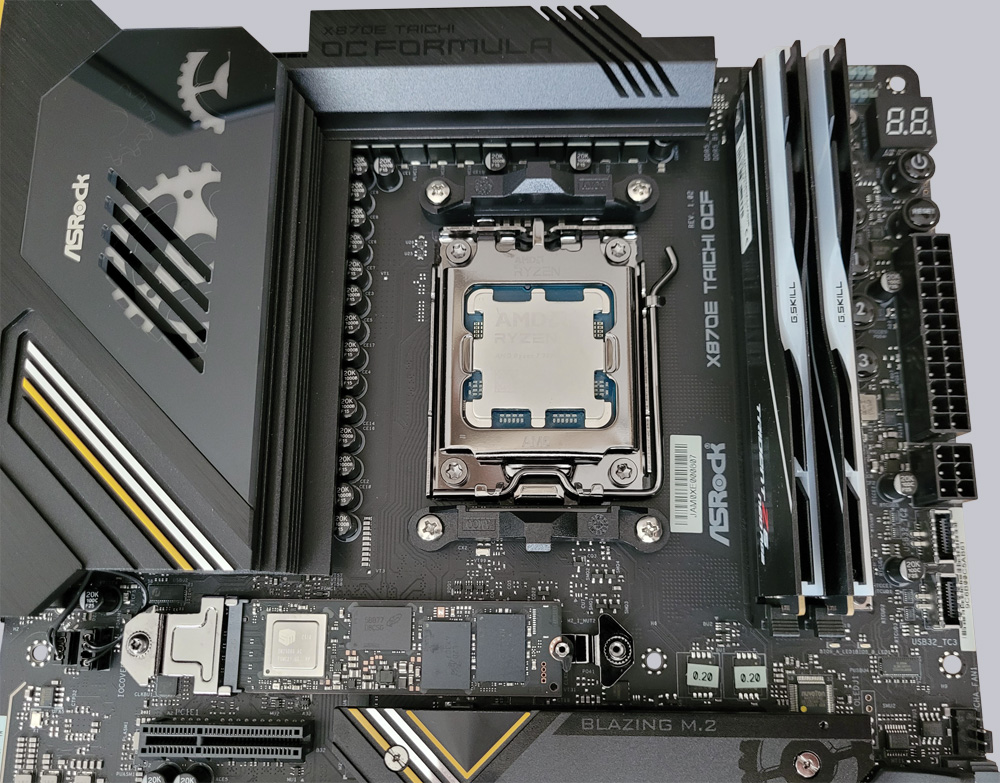
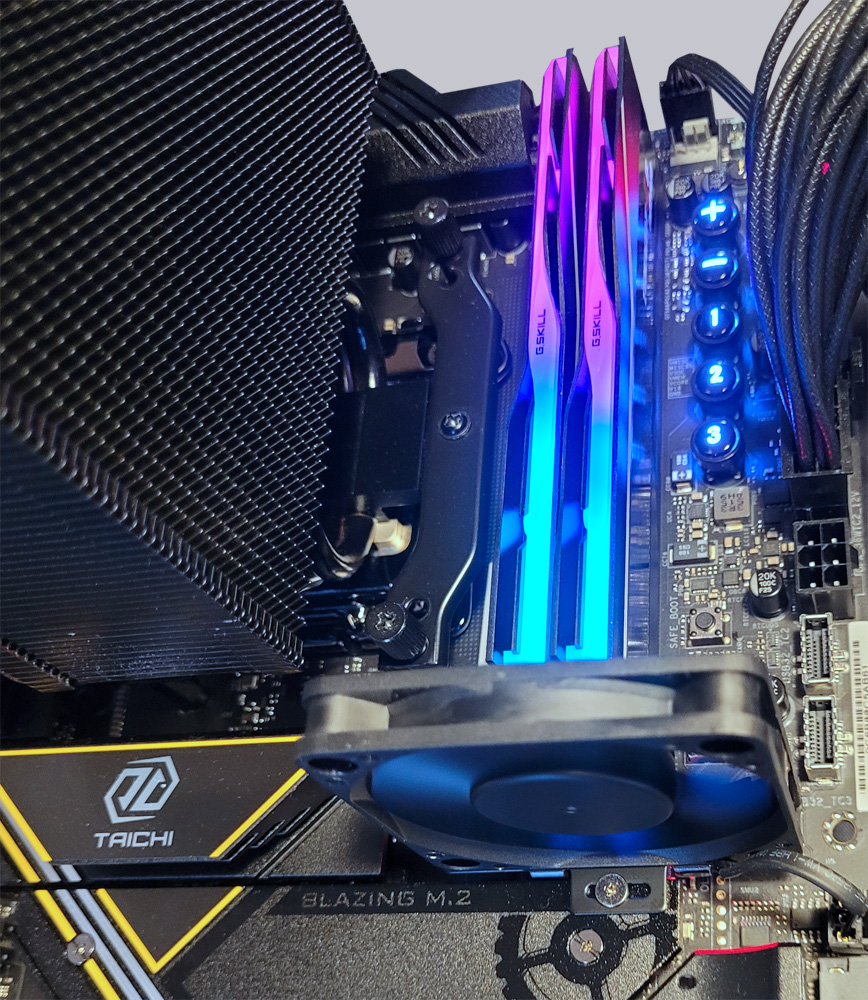
For cooling, we rely on the Freezer 34 eSports air cooler from Arctic, whose successor, the Freezer 36, recently received a top rating in our cooler test. Thanks to the unchanged cooler mounting points, AM4 coolers can in most cases be used on AM5 systems without any problems. We also rely on a product from Arctic for the thermal paste, namely the new MX-6 paste. Its thermal conductivity is excellent (see thermal paste comparison test), it does not dry out even after long periods of operation and is not electrically conductive, which is an advantage with AM5 CPUs because some of them have exposed SMD components on the top. We also mount the included 60mm RAM fan on the lower Gen5 M.2 slot.
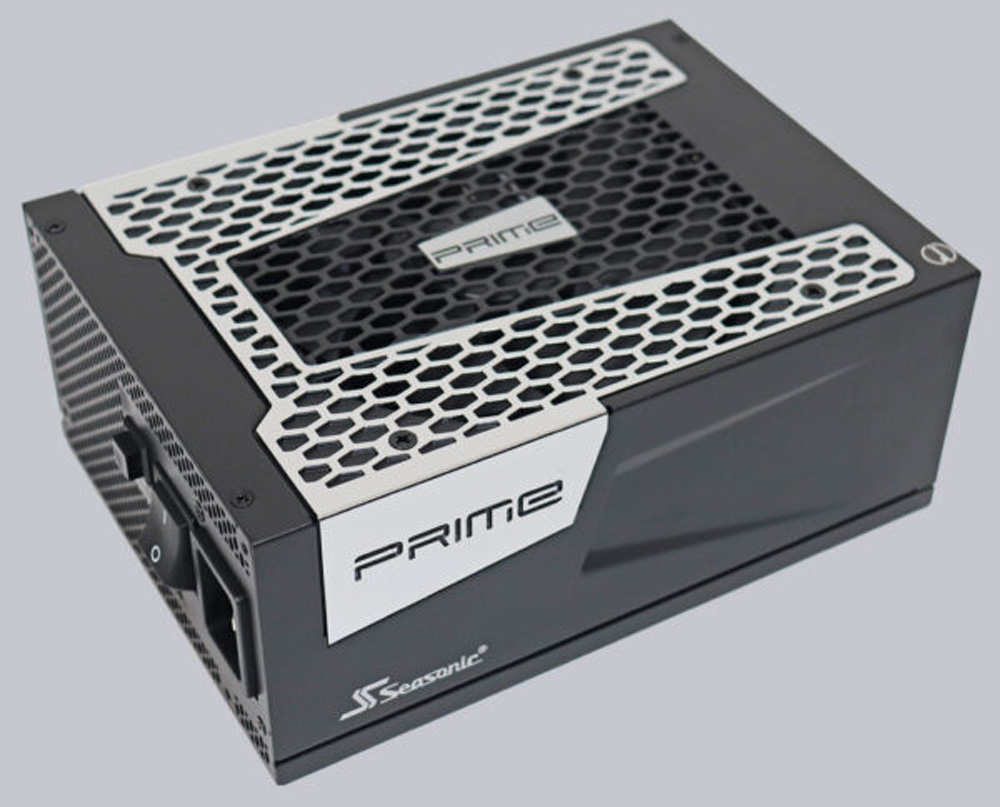
Even during intense overclocking, the exceptionally powerful Seasonic TX-1300 ATX 3.0 power supply delivers the necessary power, offering more than sufficient power reserves.
ASRock X870E Taichi OCF BIOS and overclocking …