

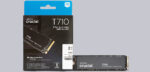
Setup and test results …
For the review of the T710 SSD, we are using an AM5 system with the following components.
SSD Testsystem …
| Motherboard | ASRock B650E Taichi |
| SSD | Crucial T700 1TB M.2 PCIe 5.0 CT1000T700SSD3 |
| CPU | AMD Ryzen 7 9800X3D |
| RAM | 2x 24GB DDR5-8000 CL38 Single Rank in Dualchannel 2:1 Mode |
| PSU | Seasonic TX-1300 |
| Graphics card | AMD Radeon RX-7900XT |
| Case | Fractal North |
| Cooling | Arctic Liquid Freezer II 360 |
| Operating system | Windows 11 – Version 24H2 |
Practical testing …
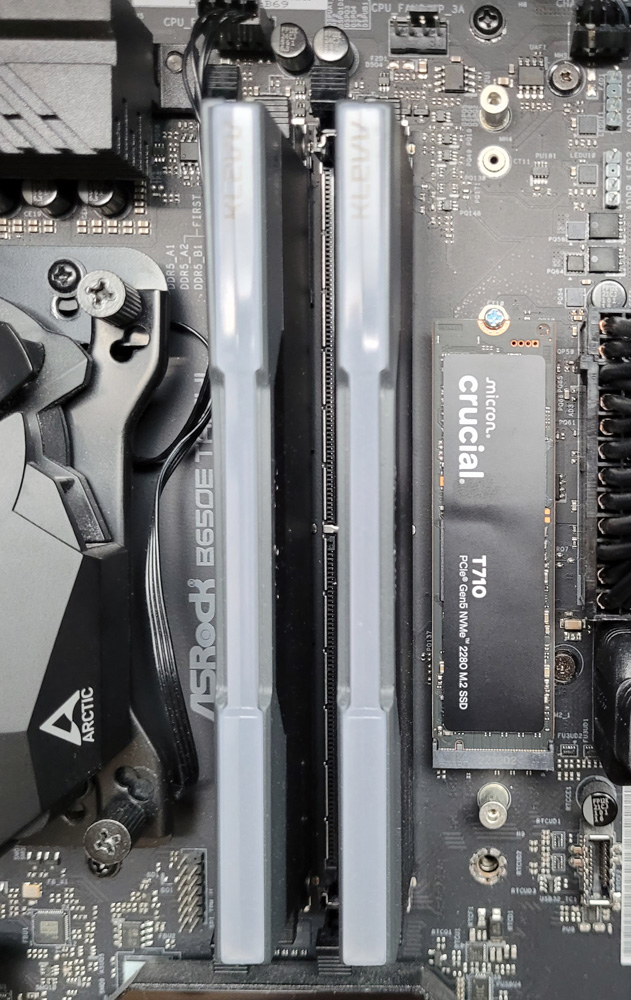
For our test, we naturally placed the T710 Gen5 M.2 SSD in the only Gen5 M.2 slot on the ASRock B650E Taichi motherboard. Since the T710 is a high-performance SSD, we also installed the motherboard’s SSD cooler after inserting the SSD, although it is not yet visible in the following photo.
SSD Software …
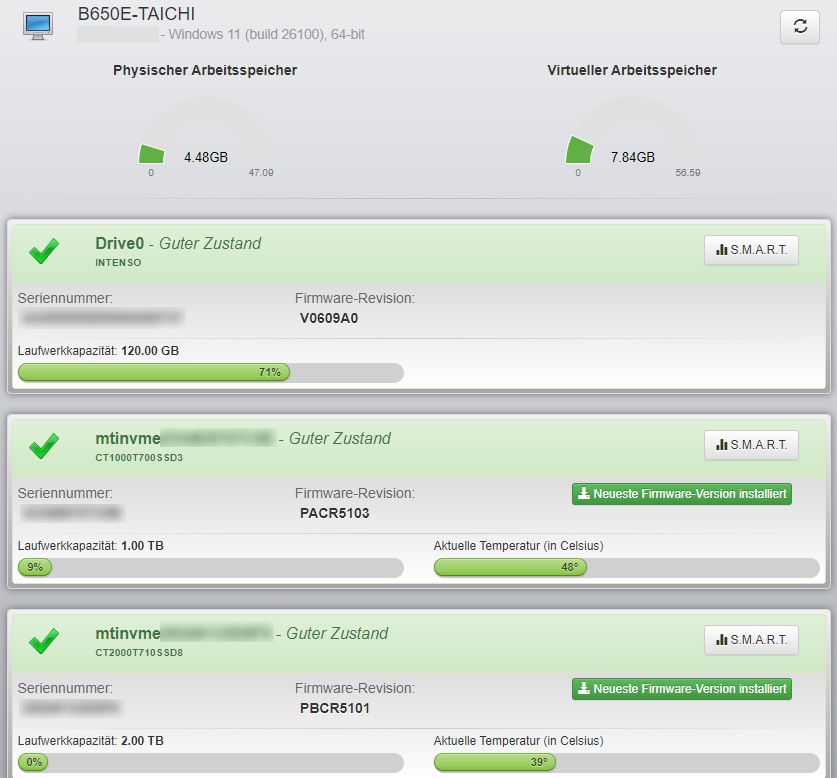
The Crucial Storage Executive software confirms that the T710 SSD is in perfect condition and does not offer any newer firmware, which means we can start the test session without delay.
CrystalDiskMark result …
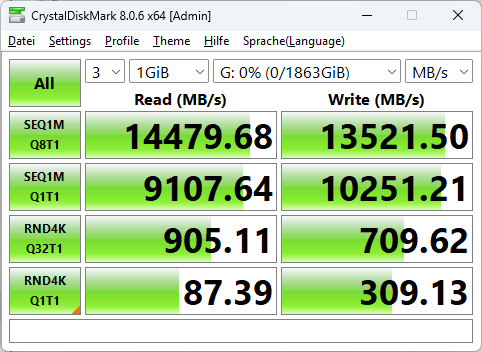
First, we start Crystal Disk Benchmark with a 1GB test file size and 3 passes. At the end of the test, the T710-2TB SSD achieves an outstanding 14,479 MB/s in sequential reading and an equally impressive 13,521 MB/s in sequential writing. This makes it 44.5% faster in reading and 48.5% faster in writing than the already very fast P510 Gen5 SSD in this test.
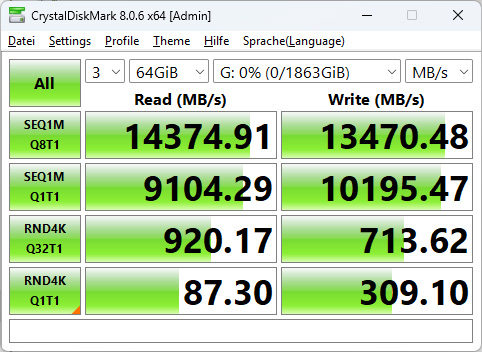
But even with a 64GB test file size, the T710 performs well and achieves almost the same results as before. The less than 1% lower measured values for sequential transfer rates are negligible, and the remaining measured values do not differ significantly from the previous test.
Windows Practical testing …
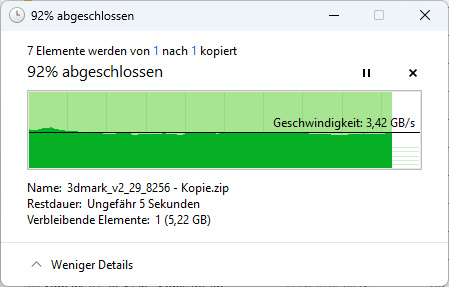
When copying 72 GB of data to the T710 SSD using Windows Explorer, the transfer rate settles at around 3.4 GB/s, which is an excellent value.
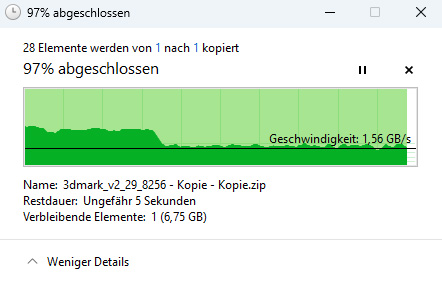
After about 100 GB, you will notice a drop in copy speed to approx. 1.56 GB/s.
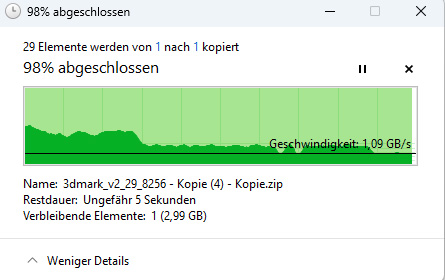
Only when the 2TB SSD is more than half full and continues to be filled with large amounts of data without a break does the copy rate drop to approximately 1.1GB/s. However, this process is not an everyday scenario. After a short pause of a few seconds, the SSD immediately returns to full speed.
3DMark Storage Benchmark …
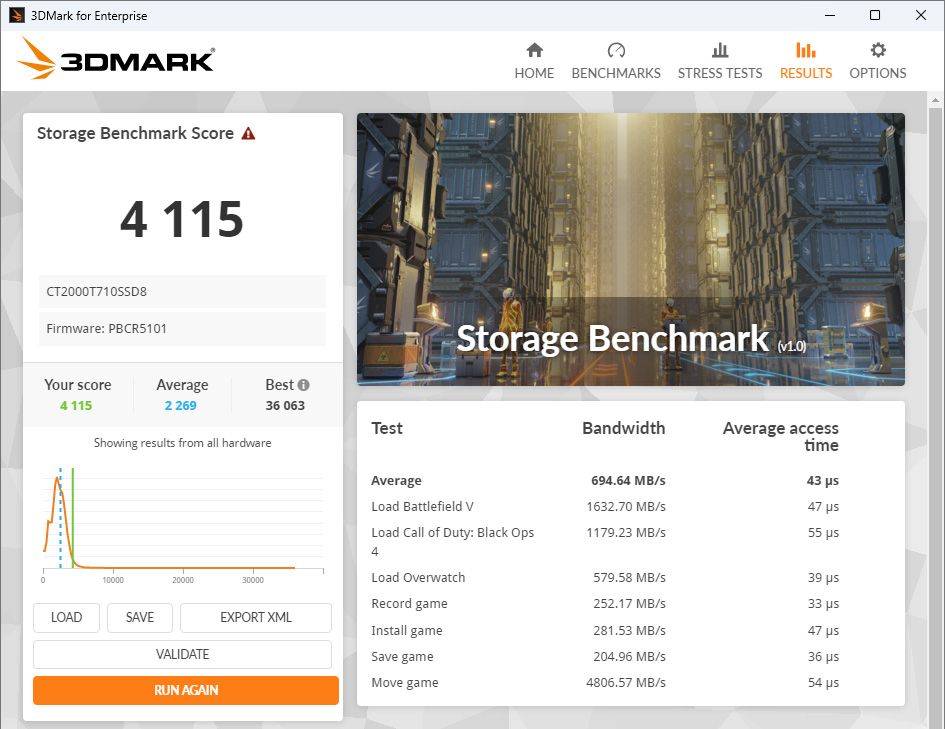
Finally, we run the 3D Mark storage benchmark, which performs extensive tests that simulate, among other things, installing games and saving game scores. With 4115 points, the T710 lands at the very end of the bell curve, which represents a comparison with other users of this benchmark. This means that the T710 is one of the fastest SSDs tested. The average bandwidth of 694.64 MB/s is 43.4% higher than that of the P510 Gen5 SSD, and the average access time of 43 microseconds is also over 30% lower for the T710.
Conclusion Benchmarks …
If you’re looking for top performance, you’ll find it with the T710, because the performance of the T710 SSD is impressive across the board. The T710 scores with the highest transfer rates and lowest latencies, exactly what gamers and creative professionals need.
SSD heat generation …
High performance often goes hand in hand with high heat generation. Thanks to Silicon Motion’s 6nm controller and Micron’s state-of-the-art TLC 3D NAND memory, the T710 SSD remains inconspicuously cool under a passive heat sink. According to internal sensors, the SSD did not exceed 61°C during our extensive testing, despite the cozy 28°C temperature in the room at the time of testing.
SSD tips …
Tip: If you want to securely erase your SSD, take a look at the Erase SSD article. If you are not achieving full SSD performance, take a look at the NVMe SSD practical tips. And if you want to know how big the differences between PCIe Gen 4 and PCIe Gen 5 are, you can find a PCIe speed comparison here.
Crucial T710 2TB M.2 SSD Result and general impression …