

Layout, design and features interior …
The Cougar CFV235 features a clean, uncluttered interior. It accommodates a standard ATX motherboard, and the tray provides ample routing options for cables. It also includes openings designed for motherboards with rear-panel connectors, such as the MSI Project Zero, ASUS BTF, or Gigabyte Project Stealth.
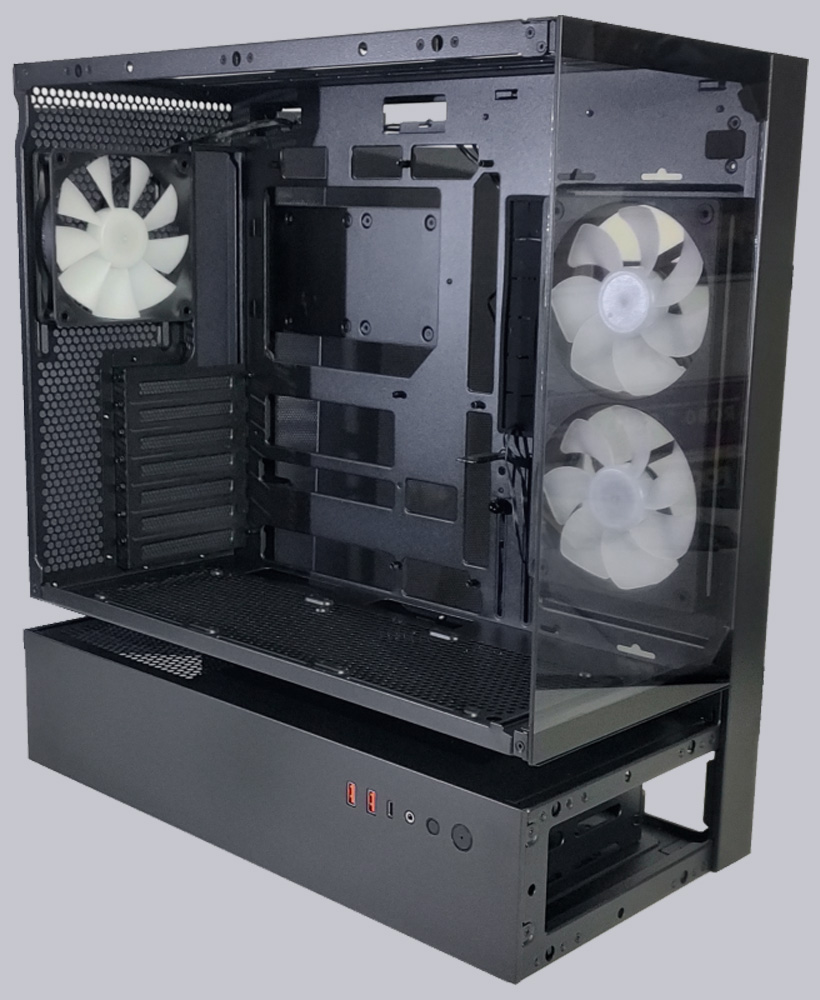
Graphics cards up to 43 cm in length fit inside the case, and a height-adjustable graphics card support prevents heavy GPUs from sagging.
There is also plenty of space for fans and radiators. Up top, under the cover, you can install up to three 120mm fans or a 360mm radiator; two 140mm fans or two 280mm radiators can also be installed.
At the bottom, there is space for three 120mm fans, while installing radiators at the bottom of the case is generally not recommended. Cougar has not pre-installed any fans here. However, as the practical testing shows, it is particularly advisable to have fans installed in reverse flow here.
There is space on the side for two 120mm fans. Cougar has pre-installed a 120x240mm dual-fan unit in reverse flow here.
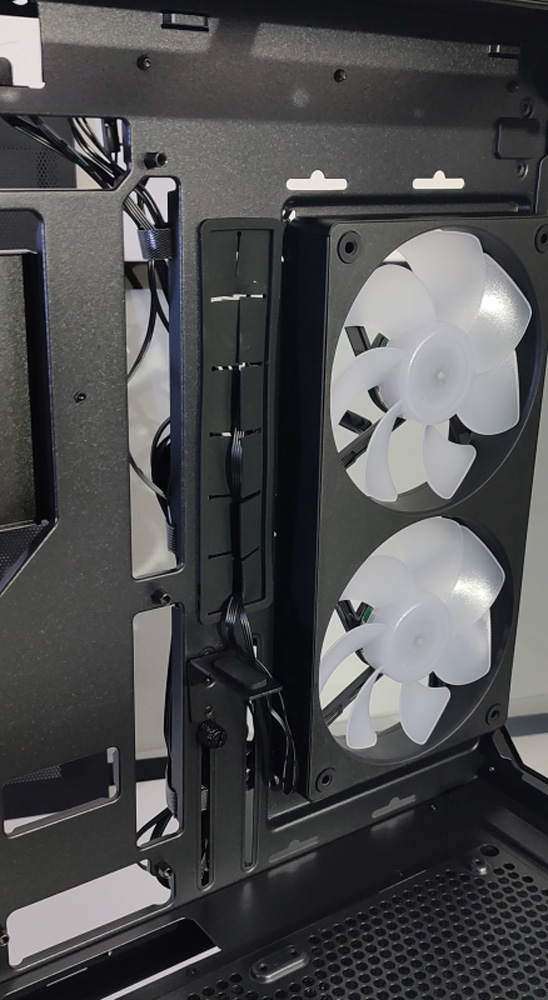
The rear is designed to accommodate only a single 120mm fan, which is also pre-installed by Cougar. This fan is height-adjustable, so there should be no compatibility issues even with thicker radiators in the top panel.
A CPU cooler can be up to 175mm tall.
After removing the right side panel, you have full access to the lower compartment, which houses the PSU and, in front of it, a drive cage for 3.5″ or 2.5″ drives.
Even large power supplies up to 200 mm in length can be easily installed in the CFV235.
The drive cage includes a frame for one drive, which is secured with clips and can be easily pulled out of the cage. An additional drive can be securely screwed onto the cage.
Behind the motherboard tray, there is also a bracket for two 2.5″ SSDs, secured with a thumb screw.
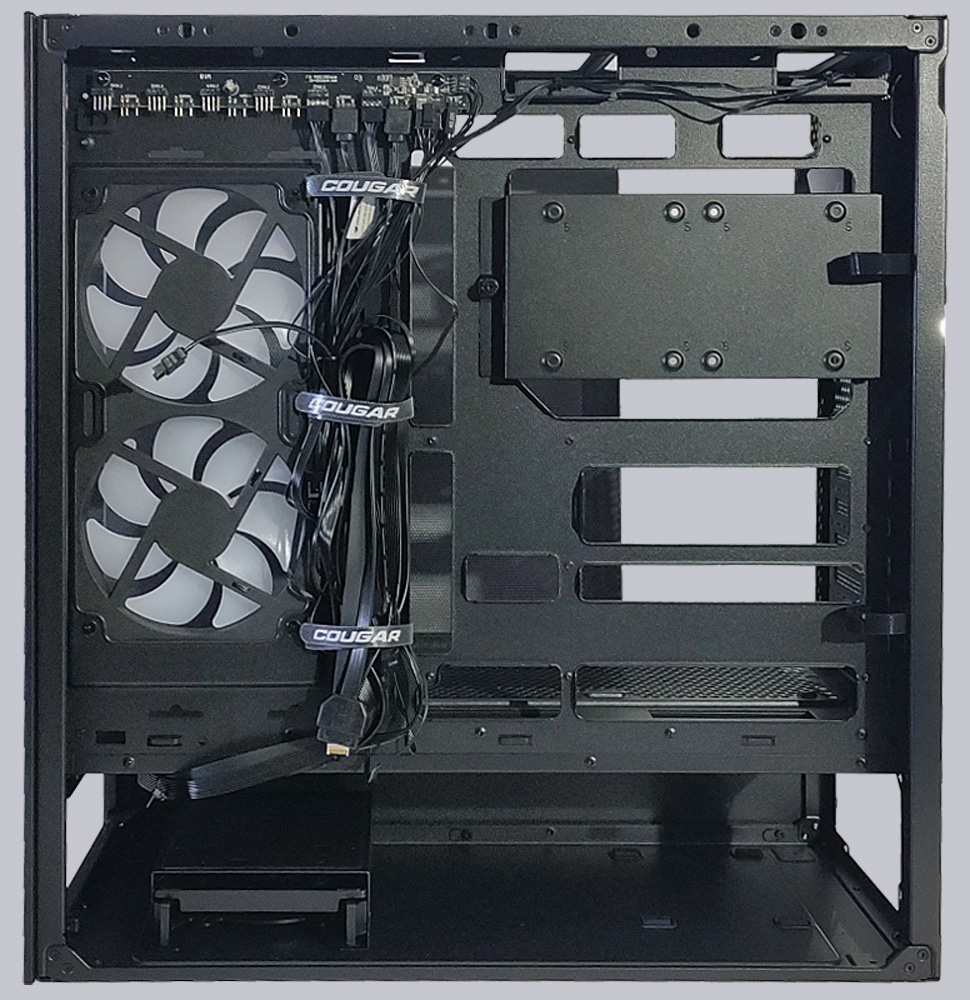
The integrated PWM hub/ARGB controller is located above the side fans. Up to six PWM fans and six ARGB elements can be connected here, though all connections are wired in parallel and do not offer separate channels.
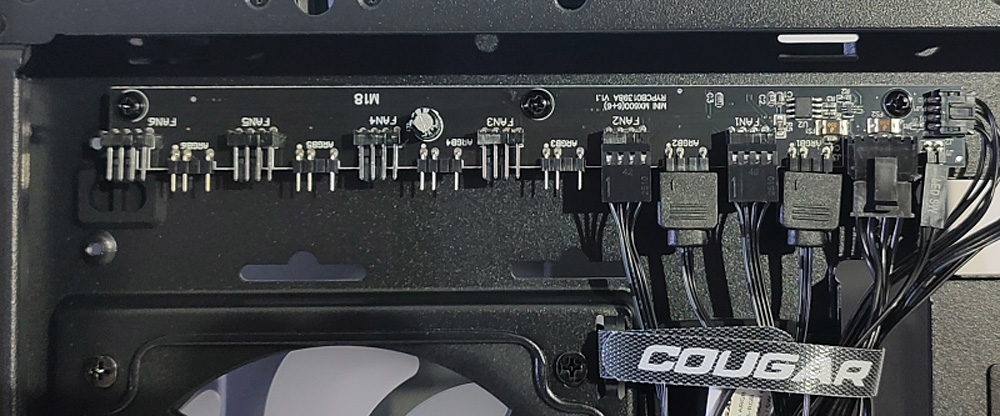
The fan speed for all six fan connections is controlled via a PWM cable, typically from the motherboard.
The ARGB signal can be fed in via a 5V connection from an external source (e.g., the motherboard’s ARGB port); alternatively, the ARGB controller offers a selection of pre-programmed effects. The controller is operated via the second button on the front panel.
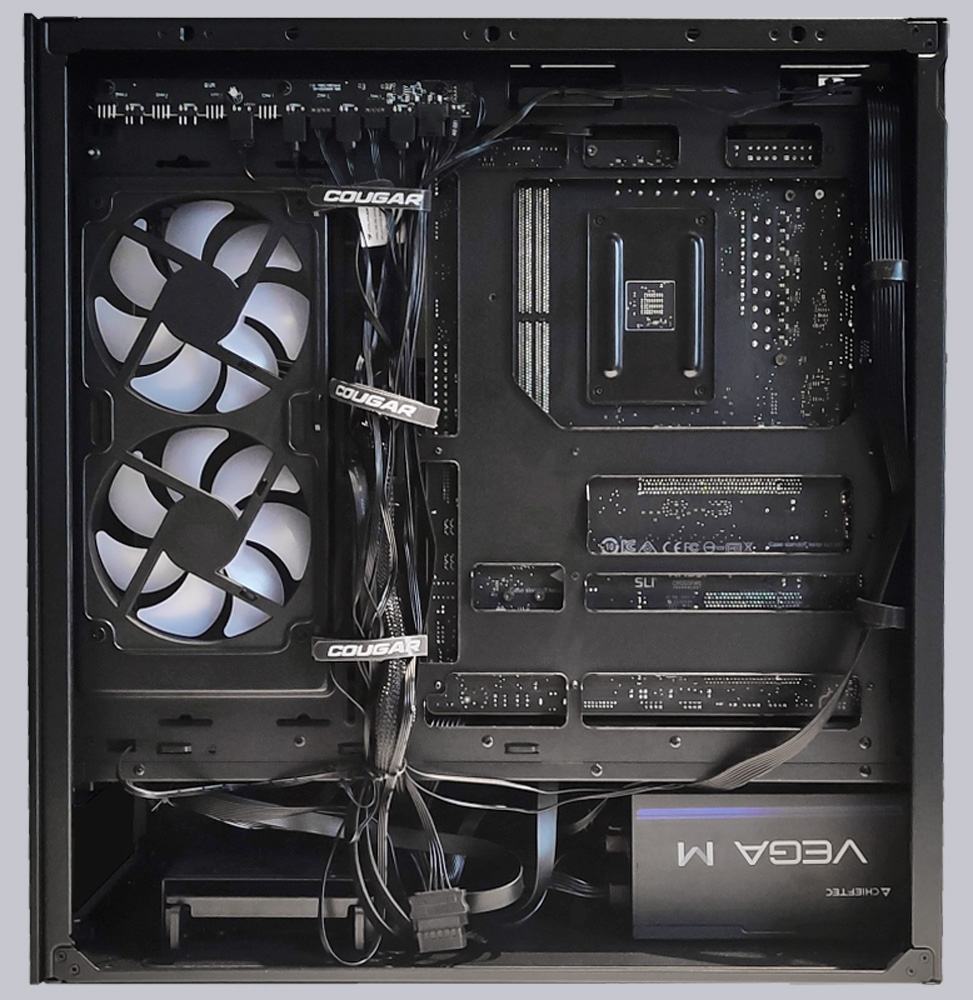
For cable management, several Velcro straps are provided on the sides of the fans at the back of the tray, which already hold the cables from the front panel and the pre-installed fans in place. Cables from the power supply, as well as additional fan and ARGB cables, can also be easily routed through these straps, making it easy to keep cable management under control.
Cougar CFV235 Practical testing …