November 2006
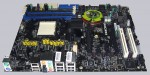
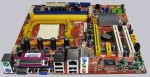
 | After more than 20 different AMD Socket 939 and Socket 754 Motherboard Reviews and the recently published AM2 Upgrade report, it's time to test more AMD Socket AM2 boards. To compare all Socket 939, 754 and Socket AM2 motherboards a CPU with the same frequeny was used and just the memory modules were changed to the new 240-pin DDR2 memory. The ASRock AM2XLI-eSATA2 test report shows if this board is good overclockable and if it offers a wide range of features in spite of the low price. In addition, a direct comparison is available for all AMD Athlon 64 Reviews. ASRock AM2XLI-eSATA2 PCIe SLI AMD Athlon 64 Socket AM2 Motherboard Review |
 | The company Crucial should be well known by everyone who is interested in PC or Macintosh hardware and already acquired some memory modules. Crucial recently became 10 years old and they celebrated their 10th anniversary with special chocolate modules (yes, memory modules can be tasty) and with special 10th Anniversary 1GB PC2-5300/DDR2-667 CL3 memory modules. PC2-5300 does not sound very fast, but sometimes the test results differs from the first impression ... Crucial 10th Anniversary 2GB DDR2-667/PC2-5300 Kit (TY2KIT12864AA663) memory Review |
 | A new USB infrared receiver guide with a special PC power on/off function is published on ocinside.de The circuit got the name "USB Ultra infrared receiver" or briefly "USB Ultra IR". The USB Ultra IR does not "only" allow to control the complete PC software with an universal infrared remote control unit, but also offers a special function to power-on and switch-off the PC remotely. The guide includes a full solder guide and a detailed explanation of the USB Ultra IR v1.1, which is by the way also as a complete DIY kit in the Redaktion ocinside.de Fanshop available. Should be a nice handicraft for the colder (pre-) Christmas time ... ;) USB Ultra infrared receiver DIY guide to remote control and power on/off the PC |
 | The new version 3.0 of the interactive AMD Athlon 64 product ID guide offers now in addition to the manual CPU selection also a direct script control. That is particularly very useful for online dealers and distributors, but also for everyone who would like to post a link to the CPU. Simply select the complete description of the AMD Athlon 64 CPU over the select fields and then copy the appearing link to the clipboard, or add the CPU data directly with ?cpu=XYZ to the script URL. This link can be used in shops, forums, web pages, etc. Furthermore it is now possible to search the CPU directly in the OC-Database, get the respective systembus multiplier and get the data of several new processors. All in all it's a very extensive development, which let many hearts strike more highly. New interactive AMD Athlon 64 product ID guide version 3.0 |
I don't hold any responsibility for any damage caused by overclocking.
There is always a risk of damaging your hardware.
And your warranty becomes void if you overclock something.
|